NEW
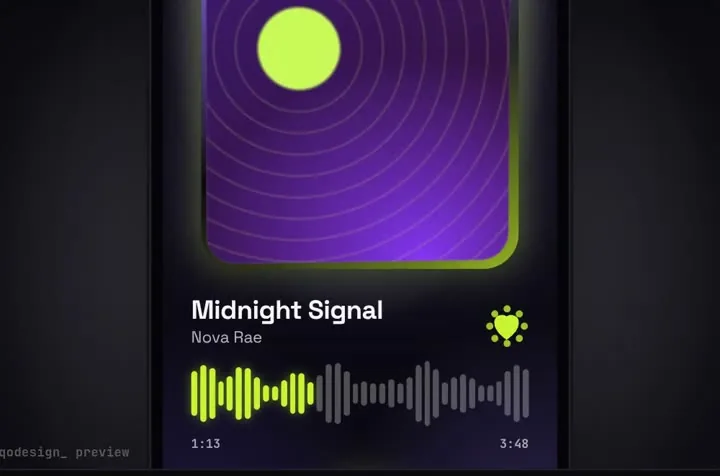
A glass drop magnifies the tab under it, stretches between tabs and bursts into the player.
Drop a piece in your repo, tell TRAE's agent to follow its PROMPT.md, and add one project rule so the motion stays the way it shipped.
TRAE is an AI IDE with a coding agent called SOLO, and you can switch between the IDE and SOLO. It reads two kinds of rules: global rules in ~/.trae/user_rules, and project rules as Markdown files in .trae/rules/ (subfolders work, up to three levels). Each rule can always apply, apply only to files that match its globs, or apply when the AI decides its description fits. TRAE can also reuse AGENTS.md, CLAUDE.md and CLAUDE.local.md from your project root, and you can build custom agents with their own prompts and MCP servers. Paid plans run from Lite at $3 a month to Ultra at $100 a month, per their pricing page. Source: TRAE docs: rules, TRAE docs: custom agents, TRAE pricing, trae.ai.
A glass drop magnifies the tab under it, stretches between tabs and bursts into the player.
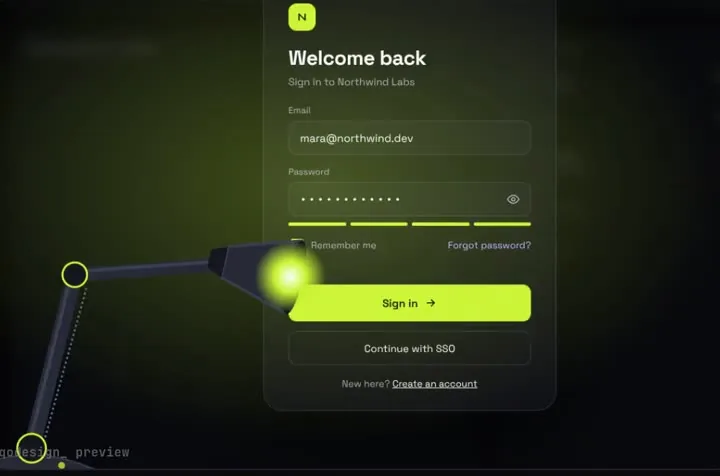
A sign-in page in the dark: a desk lamp finds each field and floods the screen when you sign in.
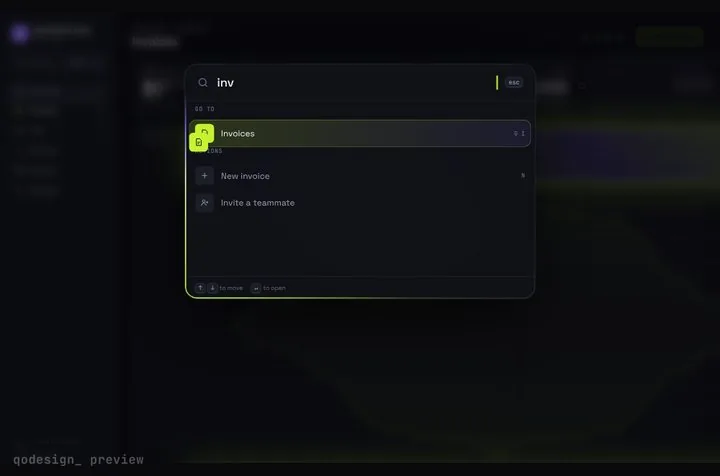
A whole SaaS app you drive from ⌘K: rows stretch into pages, coins fly into the total.
npx shadcn@latest add https://teodoravadani.github.io/qodesign-free/r/toast-stack.jsonnpx shadcn@latest add https://teodoravadani.github.io/qodesign-free/r/pricing-switch.jsonnpx shadcn@latest add https://teodoravadani.github.io/qodesign-free/r/upload-dropzone.jsonnpx shadcn@latest add https://teodoravadani.github.io/qodesign-free/r/day-night-toggle.jsonnpx shadcn@latest add https://teodoravadani.github.io/qodesign-free/r/orbit-dashboard.jsonnpx shadcn@latest add https://teodoravadani.github.io/qodesign-free/r/ledger-dashboard.jsonPaid pieces start at $3 each, or get every one with the Shelf for $29, once.
All comparisons, with prices read on each library's own site.
Yes. TRAE's rules docs say it can reuse AGENTS.md, CLAUDE.md and CLAUDE.local.md from the project root as project rules, next to its own files in .trae/rules/. An AGENTS.md inside a subfolder only applies when files in that folder are read or mentioned.
Apply to Specific Files with a glob on the folder you unzipped into keeps the rule out of unrelated chats. Always Apply works too if you want it everywhere.
Yes. Six pieces are free under the MIT licence and install with one shadcn command. The Day / Night toggle is also on the free code page.
Yes. The licence covers personal, commercial and client projects. You can't resell the source code itself.