Fix 1: format the date on the server
app/orders/page.tsx (Server Component)
import { OrderRow } from "./order-row";

// Format dates on the server with a pinned time zone and locale, then pass
// plain strings down. The browser never re-computes them, so nothing can differ.
const fmt = new Intl.DateTimeFormat("en-US", {
  dateStyle: "medium",
  timeStyle: "short",
  timeZone: "UTC",
});

type Order = { id: string; createdAt: string };

export default async function OrdersPage() {
  const orders: Order[] = await getOrders();
  return (
    <ul>
      {orders.map((o) => (
        <OrderRow key={o.id} id={o.id} created={fmt.format(new Date(o.createdAt)) + " UTC"} />
      ))}
    </ul>
  );
}

async function getOrders(): Promise<Order[]> {
  return [{ id: "a1", createdAt: "2026-10-27T08:00:00Z" }]; // your data here
}
app/orders/order-row.tsx
"use client";

export function OrderRow({ id, created }: { id: string; created: string }) {
  // A string from the server renders the same on both passes.
  return (
    <li className="flex justify-between">
      <span>{id}</span>
      <time>{created}</time>
    </li>
  );
}
Good to know
- "use client" doesn't skip the server. A Client Component is still rendered to HTML on the server and then hydrated, so anything that reads the clock, the locale or a random source can render two different strings.
- The server usually runs in UTC with an en-US locale, and the browser runs in the visitor's time zone and language. That is why toLocaleString() breaks even when no time has passed.
- suppressHydrationWarning on the element hides the warning for that one text node. It doesn't make the two renders agree, so the visitor can still see the server's text flash before React patches it. Keep it for a single timestamp you are fine with.
- What we ran on October 27, 2026: every file on this page type-checks with TypeScript 5.9.3 against @types/react 19.3.0, react 19.1.1 and next 15.5.28. Passing a Date object to OrderRow, giving ssr a string and a plan object with a missing field all fail the same check. We didn't run these exact files in a browser on this page; the five fixes were run in next dev, next build and next start for our blog post.
Install
- Copy from the zipPut
react/src/components into src/, then none. Next.js App Router and React 19. - Or ask your AIPaste PROMPT.md into Cursor, Lovable or v0.
Props
- data
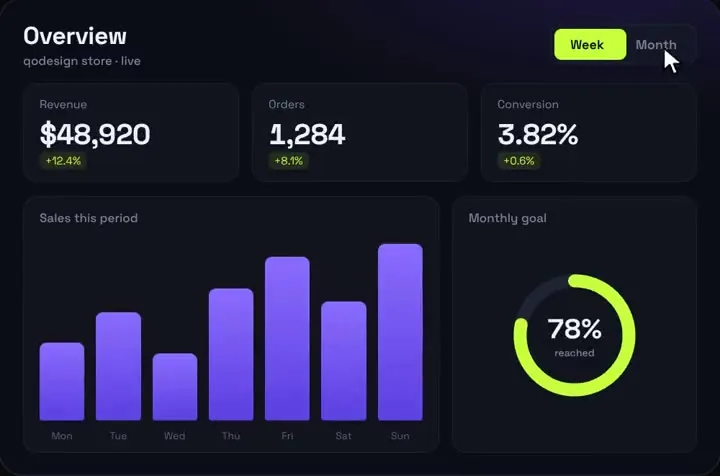
- your KPIs and series
- title / subtitle
- header text
- startDelay
- ms before the count-up
How qodesign compares
- qodesign vs shadcnblocksshadcnblocks is best for: assembling whole pages from ready-made sections.
- qodesign vs Kokonut UIKokonut UI is best for: landing page sections and templates installed by an AI agent.
- qodesign vs TremorTremor is best for: dashboards and charts: area, bar, line and donut charts, trackers, KPI cards, tables.
All comparisons, with prices read on each library's own site.
From the blog: Next.js Hydration Error from Dates: 5 Tested Fixes
From the blog: useSyncExternalStore getServerSnapshot: Next.js Fix