TL;DR A Next.js hydration error from dates happens because a client component renders on the server and again in the browser, and new Date(), toLocaleString() or Math.random() return different text each time. Fix it by formatting on the server with a pinned time zone, filling the value in after mount, or skipping SSR for that widget.
A Next.js hydration error from a date (or a random number) happens because a client component renders on the server first, then again in the browser, and new Date(), toLocaleString() or Math.random() give a different answer the second time. React compares the two, finds different text, and throws. The fix is to make the first browser render match the server: show a placeholder and fill in the live value after mount, pass the value down from the server, or keep that part off the server entirely.
Below is the error reproduced in a fresh Next.js 15 app (React 19, App Router), what each piece of the message means, and five fixes I tested with next build, next start and next dev in a headless browser.
A client component is still rendered to HTML on the server. "use client" only means it also runs in the browser. This one renders the time and a random number:
In next dev, the console shows the full message. This is the actual output from my test page, with the long component stack shortened:
Hydration failed because the server rendered text didn't match the client. As a result this tree will be regenerated on the client. This can happen if a SSR-ed Client Component used:

- A server/client branch `if (typeof window !== 'undefined')`.
- Variable input such as `Date.now()` or `Math.random()` which changes each time it's called.
- Date formatting in a user's locale which doesn't match the server.
- External changing data without sending a snapshot of it along with the HTML.
- Invalid HTML tag nesting.

It can also happen if the client has a browser extension installed which messes with the HTML before React loaded.

https://react.dev/link/hydration-mismatch

  ...
                        <Page>
                          <BrokenClock>
                            <div>
                              <p>
+                               8:59:47 PM
-                               8:59:46 PM
The + line is what the client rendered, the - line is what the server sent. One second passed between the server render and hydration, so the clock text differs. The list in the message is a good checklist; most mismatches I see come from the first three items.
In a production build (next build && next start) React ships minified errors, so you get a number instead:
Minified React error #418; visit https://react.dev/errors/418?args[]=text&args[]= for the full message or use the non-minified dev environment for full errors and additional helpful warnings.
Error #418 is the text-content version of the hydration error. Search your client components for anything that reads the clock, randomness, the locale or window during render. React's error decoder page shows the full text, and Next.js keeps a page on the hydration error too.
After the error, React throws away the server HTML for that tree and renders it again on the client. Users may not see anything wrong, but you lose the benefit of server rendering for that part and you can get a visible flash.
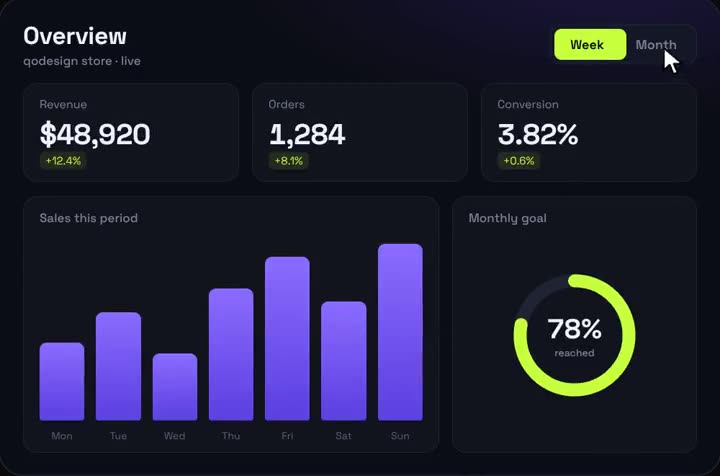
Analytics Dashboard V1 running live. A dark analytics dashboard where every number counts up live.
new Date() and Date.now() read the clock at render time. The server render and the browser render happen at different moments.
toLocaleString() / toLocaleTimeString() use the runtime's locale and time zone. Your server probably runs in UTC with an en-US locale. Your visitor in Bucharest gets a different time zone and maybe a different format, even if the clock read were identical.
Math.random() and crypto.randomUUID() return a new value per call. For ids, use React's useId() instead.
typeof window !== "undefined" branches render one thing on the server and another in the browser, by design.
The rule underneath: the first client render must produce the same output as the server render. After hydration you can render anything you like.
A lot of people first see this after deploying ("works locally, hydration error on production with a date string" is a common thread title on r/nextjs). The reason is usually the time zone, not the code. In next dev, the server and the browser run on the same laptop, so toLocaleString() gets the same zone and locale on both sides, and only a ticking clock gives you away. Once deployed, the server typically runs in UTC while the visitor's browser uses their own zone. A date stored as 2026-10-12T22:30:00Z prints as Oct 12 on the server and Oct 13 in Bucharest, so even a static date mismatches. To catch it before deploying, run the production build with a different zone than your machine, for example TZ=UTC npm run build && TZ=UTC npm start, and open the page in your normal browser.
This is the fix I use most. Both the server and the first client render show a placeholder, and an effect fills in the real value once the component is in the browser:
tsx
"use client";import { useEffect, useState } from "react";export default function ClockAfterMount() { const [now, setNow] = useState<Date | null>(null); useEffect(() => { setNow(new Date()); const t = setInterval(() => setNow(new Date()), 1000); return () => clearInterval(t); }, []); // Server HTML and the first client render both show the placeholder. return ( <time className="tabular-nums" dateTime={now?.toISOString()}> {now ? now.toLocaleTimeString() : "--:--:--"} </time> );}
A random value works the same way: keep null in state, set it in useEffect. Reserve the space for the placeholder (tabular-nums and a fixed-width string here) so the layout doesn't jump when the real value arrives.
The cost is one extra render and a brief placeholder. For a clock or a "last updated" label that's fine.
If several components need to know "am I hydrated yet", a tiny hook built on useSyncExternalStore does it without effects or state:
ts
import { useSyncExternalStore } from "react";const subscribe = () => () => {};// false during SSR and hydration, true after that. No effect, no extra state.export function useIsClient() { return useSyncExternalStore( subscribe, () => true, () => false );}
During server rendering and hydration React uses the third argument (false). Right after hydration it switches to the client snapshot (true) and re-renders. A component can then use the precise local format only on the client and a stable UTC string on the server:
tsx
"use client";import { useIsClient } from "./useIsClient";export default function LocalTime({ iso }: { iso: string }) { const isClient = useIsClient(); const date = new Date(iso); return ( <time dateTime={iso}> {isClient ? date.toLocaleString() : date.toLocaleString("en-US", { timeZone: "UTC" }) + " UTC"} </time> );}
The useSyncExternalStore docs explain the server snapshot. Leave that third argument out in Next.js and the build fails during prerender, which is its own error and gets its own article on this blog.
It works one level deep: it silences a text mismatch inside that element and nothing below it. React patches nothing, so the server's text stays until the next render. Use it for one small leaf like a <time>, never on a wrapper div or on <body> to make an error go away. The React docs list it under the props of common components.
In my test the page using this component produced no console error in dev or prod.
If the value doesn't need to tick, the cleanest fix is to not compute it twice. A server component runs once, on the server, so there is nothing to compare:
tsx
// A server component: runs once, on the server, so there is nothing to mismatch.const fmt = new Intl.DateTimeFormat("en-US", { dateStyle: "medium", timeZone: "Europe/Bucharest",});export default function PostDate({ iso }: { iso: string }) { return <time dateTime={iso}>{fmt.format(new Date(iso))}</time>;}
Two details matter here. Pin timeZone (and the locale) in Intl.DateTimeFormat so the output doesn't depend on the machine's settings. And if a client component needs the date, pass it the ISO string as a prop rather than a Date object, then format it with the same fixed options.
This is the right choice for blog dates, order dates and anything coming from your database.
For a widget that is meaningless without the browser (a live chart fed by random or real-time data, something that reads window sizes on render), skip the server render for it:
In the App Router, ssr: false is only allowed inside a client component, which is why this wrapper has "use client". Next.js rejects it in a server component. The lazy loading guide covers it.
Give it a loading placeholder with the same size as the real thing to avoid layout shift. Don't wrap half your page in ssr: false; you'd be giving up server rendering to hide a bug.
The value comes from data you already have on the server: Fix 4.
It's a live clock, a countdown or a random value: Fix 1, or Fix 2 when many components need it.
One small text node that is allowed to differ: Fix 3.
A whole widget that only works in the browser: Fix 5.
Dashboards hit this constantly because they mix live time, relative dates ("3 min ago") and generated demo data. When I tested my own dashboards in a fresh Next.js app, two of them logged #418 because they rendered live time and random numbers on the server. If you're building one, the analytics dashboard and the other React dashboard templates in my catalog are a place to see how the live parts fit into the layout. The free pieces come with their source too, and the open-source qodesign-free repo has two dashboards if you'd rather read code first.
One last check: if the error appears for some users only, ask them to try a private window. Browser extensions that inject markup (translators, password managers, dark-mode tools) cause the same message, and the error text itself mentions it.
The Next.js docs page for this error lists the causes and a couple of general fixes, but it doesn't go into dates and time zones, and most blog posts stop at useEffect. These are the shortcuts I see that make things worse:
Shortcut
Why it backfires
Better
suppressHydrationWarning on <body> or a wrapper
It only covers one level of text, and hides real bugs below
Put it on the single <time> element
typeof window check inside render
Server and client take different branches, which is the mismatch
Read browser values in an effect or useSyncExternalStore
toLocaleString() with no options
Output depends on the server's locale and zone
Pin timeZone and the locale in Intl.DateTimeFormat
Math.random() or crypto.randomUUID() for element ids
New value on each render
useId()
ssr: false around the whole page
You lose server rendering to hide one bug
Wrap only the widget that needs the browser
Passing a Date object to a client component
Formatted twice, in two zones
Pass the ISO string and format with fixed options
Relative labels like "3 min ago" deserve a special mention. Even with a pinned zone, the server and the browser compute them at different moments, so a label that flips from "2 min" to "3 min" during hydration mismatches. Render the absolute date on the server and switch to the relative label after mount with Fix 1 or Fix 2.
I make animated React components and dashboards at qodesign, and this is one of the errors I now test for in a production build.
Find the part of a client component that renders differently on the server and in the browser, usually a date, a random value, a locale format or a typeof window check, and make the first browser render match. Format on the server, fill the value in after mount, or skip server rendering for that one widget.
React compared the HTML the server sent with what the browser rendered on the first pass and found different text. It throws the server HTML away for that tree and renders it again in the browser, so you lose server rendering for that part.
Locally the server and browser share your time zone and locale, so formatted dates match. In production the server usually runs in UTC, so toLocaleString() and date-only values can come out different for visitors in other zones. Pin timeZone when you format, or format in the browser after mount.
For one small text node that is allowed to differ, like a timestamp in a time element, yes. It only works one level deep and doesn't fix the text, so never put it on body or a wrapper to silence errors.