TL;DR useSyncExternalStore needs a third argument, getServerSnapshot, whenever Next.js renders the component on the server, which includes client components on static routes. Without it next build fails with "Missing getServerSnapshot". Return a constant default such as false or true, and React swaps in the real browser value after hydration.
In Next.js, useSyncExternalStore needs its third argument, getServerSnapshot, because client components are rendered on the server too. The error "Missing getServerSnapshot, which is required for server-rendered content" means a component called useSyncExternalStore with only two arguments, and Next.js tried to render it on the server. The fix is to pass a third argument, getServerSnapshot, a function that returns the value to use on the server and during hydration. Something like () => false for a media query or () => true for online status is enough.
That error broke one of my own dashboards the first time I imported it into a Next.js App Router page, so I reproduced it in a clean project to write this up. Everything below runs in a fresh create-next-app project (Next.js 15.5, React 19.1, Tailwind v4), and every hook passes tsc --noEmit and next build.
tsc passes. Then next build fails during "Generating static pages":
Error occurred prerendering page "/usesyncexternalstore-getserversnapshot-nextjs/broken". Read more: https://nextjs.org/docs/messages/prerender-error
Error: Missing getServerSnapshot, which is required for server-rendered content. Will revert to client rendering.
    at f (.next/server/app/usesyncexternalstore-getserversnapshot-nextjs/broken/page.js:2:8972) {
  digest: '54299029'
}
Export encountered an error on /usesyncexternalstore-getserversnapshot-nextjs/broken/page: /usesyncexternalstore-getserversnapshot-nextjs/broken, exiting the build.
 ⨯ Next.js build worker exited with code: 1 and signal: null
The build stops there, and the whole deploy fails with it.
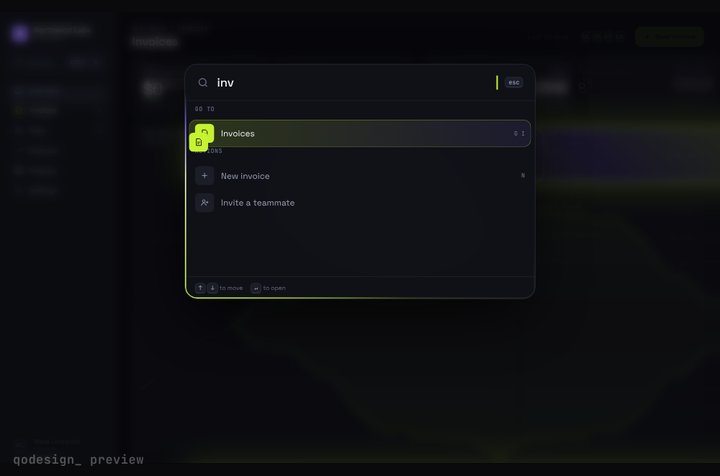
Command-K Dashboard running live. A whole SaaS app you drive from ⌘K: rows stretch into pages, coins fly into the total.
First, "use client" doesn't mean "browser only". Next.js still renders client components to HTML on the server so the first paint has content. For a static route that happens at build time, during prerender.
Second, useSyncExternalStore reads from a store outside React, and on the server that store usually doesn't exist. There is no window.matchMedia, no navigator.onLine, no localStorage. React needs some value to put in the HTML, and the third argument is how you give it one. The useSyncExternalStore reference describes getServerSnapshot as the snapshot used during server rendering and hydration, and says it must return the same value on the server and on the client during hydration.
Leave it out and React throws during the server render. The message says it "will revert to client rendering", but in a static prerender Next.js treats the thrown error as a failed page. Next.js has a general page on prerender errors as well.
What happens after hydration is the useful part: React renders with the server snapshot first, so the HTML matches, then switches to the real client value and re-renders. You get no hydration mismatch, and you don't need a useEffect plus useState pair to fake it.
For the media query hook, the server value is a fallback you choose. I also wrapped subscribe in useCallback, because React re-subscribes whenever it gets a new subscribe function:
Pick the fallback that matches what most visitors will see. For a mobile-first layout, false for (min-width: 768px) is right. If most of your traffic is desktop and the jump would be jarring, pass true from the call site.
These are the three stores I reach for most in dashboards and app shells. All three are in the test app, used together in one component, and the page builds and prerenders as a static route.
The browser fires online and offline events on window, and navigator.onLine is the current value:
ts
"use client";import { useSyncExternalStore } from "react";function subscribe(onChange: () => void) { window.addEventListener("online", onChange); window.addEventListener("offline", onChange); return () => { window.removeEventListener("online", onChange); window.removeEventListener("offline", onChange); };}export function useOnlineStatus() { return useSyncExternalStore( subscribe, () => navigator.onLine, () => true // assume online on the server );}
subscribe is defined outside the component, so it's stable without useCallback. On the server we assume the user is online, which keeps an "offline" banner out of the HTML.
localStorage has no change event for the current tab. The storage event only fires in other tabs. So the setter dispatches a custom event as well, and subscribe listens to both:
getSnapshot returns a string, which React compares with Object.is, so the same stored value never triggers a re-render. If you store JSON, don't JSON.parse inside getSnapshot; that returns a new object on every call and React will warn that the result of getSnapshot should be cached, then re-render in a loop. Read the raw string in the hook and parse it with useMemo in the component, or cache the parsed object next to the string it came from.
On the server, the hook returns initial. After hydration, it reads the saved value. A user who picked "compact" sees the default for a moment, then their setting. If that flash matters, put the setting in a cookie and read it on the server instead.
The page that renders this is a plain server component. In the build output it shows up as a static route (the ○ marker), which means it was prerendered at build time with the server snapshots, then hydrated.
getServerSnapshot covers the case where you have a reasonable default. Sometimes you don't:
The value decides the whole layout, like rendering a completely different tree for mobile and desktop. Prefer CSS (md: variants) so the server HTML is right for everyone, and keep the hook for behavior.
The component can't render anything useful without the browser, like a canvas or a chart sized from the window. Load it with next/dynamic and ssr: false from inside a client component, and give it a sized placeholder.
You're calling a third-party hook that uses useSyncExternalStore internally without a server snapshot. You can't pass the argument yourself. Check for a newer version of the library first, then fall back to the dynamic import.
Search your code for useSyncExternalStore( and check that every call has three arguments.
Make the third argument return a constant or a value you also have on the server. Never read window in it.
Keep subscribe stable: define it outside the component or wrap it in useCallback.
Return primitives or cached objects from getSnapshot.
Run next build, not just next dev. The dev server renders on demand and you can miss a prerender failure until deploy.
Dashboards are where I see this most, since they read theme, screen size and saved preferences from the browser. If you're building one, my SaaS dashboard and the other React dashboard templates on qodesign show the kind of screen where these hooks end up. The open-source qodesign-free repo has two dashboards with full source, and the free pieces page lists what you can grab without paying.
Most of the pages that rank for this explain the hook in general and stop there. The question I actually get from people pasting AI-generated hooks into Next.js is simpler: why not keep the old useEffect plus useState version? Here's how the two compare for browser values like these:
useEffect + useState
useSyncExternalStore
Server render
Renders the initial state
Renders getServerSnapshot()
First client render
Same initial state, then an effect sets the real value
Server snapshot, then React switches to getSnapshot()
Updates
You wire listeners and cleanup in the effect
React calls subscribe and re-reads the snapshot
Concurrent rendering
Can show two values in one render pass (tearing)
Built to prevent tearing
Missing piece breaks the build?
No
Yes, without the third argument
Both avoid a hydration mismatch if you do them right. The difference is that useSyncExternalStore keeps the subscription and the read in one place, and React re-reads the value itself after hydration, so you don't hand-write the "set it once on mount" step. The effect version is still fine for a one-off value you read once and never subscribe to.
A subscribe function created inline inside the component. It works, but React unsubscribes and subscribes again on every render. Hoist it or wrap it in useCallback, as above.
getServerSnapshot that reads localStorage or window behind a typeof window check. On the server it returns one thing and during hydration another, which is the mismatch you were trying to avoid. The server snapshot has to be the same on both sides.
A getSnapshot that builds a new object or array each time (JSON.parse, { width, height }). React compares with Object.is, sees a change on every read, warns, and loops.
A theme hook that returns "dark" from the server snapshot for everyone. Anyone on a light system theme then sees a flash. For themes, a class set by a small inline script or a cookie read on the server avoids the flash entirely.
I make animated React components and dashboards at qodesign, and this bug is why I now test every piece with next build, not just in dev.
It is the optional third argument: a function that returns the value React uses while rendering on the server and during hydration. It must return the same value on the server and on the client during hydration, so it usually returns a constant default.
You give it a subscribe function that registers a listener on an outside store, and a getSnapshot function that reads the current value. React calls subscribe once, re-reads the snapshot whenever the listener fires, and re-renders only if the value changed.
For a value that can change while the page is open, like a saved setting synced across tabs, useSyncExternalStore is the better fit because it subscribes and reads in one place. Give it a server snapshot with the default, and keep the snapshot a string so it compares cheaply.
Your getSnapshot returns a new object or array on every call, so React thinks the store changed each time and re-renders in a loop. Return a primitive, or keep the parsed object in a cache and return the same reference until the raw value changes.