Step 1: a button with role="switch"
components/switch.tsx
"use client";

import { useId, useState } from "react";

type Props = {
  label: string;
  description?: string;
  checked?: boolean; // controlled
  defaultChecked?: boolean; // uncontrolled
  onCheckedChange?: (checked: boolean) => void;
  name?: string; // posts "on" with the form when checked, like a checkbox
  disabled?: boolean;
};

export function Switch({ label, description, checked, defaultChecked = false, onCheckedChange, name, disabled }: Props) {
  const id = useId();
  const [inner, setInner] = useState(defaultChecked);
  const on = checked ?? inner;

  function toggle() {
    if (checked === undefined) setInner(!on);
    onCheckedChange?.(!on);
  }

  return (
    <div className="flex items-center justify-between gap-4">
      <div>
        <span id={`${id}-label`} className="text-sm font-medium">
          {label}
        </span>
        {description ? (
          <p id={`${id}-desc`} className="text-sm text-zinc-500">
            {description}
          </p>
        ) : null}
      </div>
      <button
        type="button"
        role="switch"
        aria-checked={on}
        aria-labelledby={`${id}-label`}
        aria-describedby={description ? `${id}-desc` : undefined}
        disabled={disabled}
        onClick={toggle}
        className="group relative inline-flex h-6 w-11 shrink-0 cursor-pointer items-center rounded-full bg-zinc-300 transition-colors duration-200 aria-checked:bg-emerald-500 focus-visible:outline-2 focus-visible:outline-offset-2 focus-visible:outline-emerald-600 disabled:cursor-not-allowed disabled:opacity-50 motion-reduce:transition-none dark:bg-zinc-700"
      >
        <span
          aria-hidden="true"
          className="absolute left-0.5 size-5 rounded-full bg-white shadow transition-[translate,width] duration-200 ease-[cubic-bezier(.3,1.4,.5,1)] group-active:w-6 group-aria-checked:translate-x-5 group-aria-checked:group-active:translate-x-4 motion-reduce:transition-none"
        />
      </button>
      {name && on ? <input type="hidden" name={name} value="on" /> : null}
    </div>
  );
}
Good to know
- role="switch" with aria-checked tells screen readers it's an on/off control, and they read "on" or "off" instead of "checked". The visible text is its name through aria-labelledby.
- The thumb moves with Tailwind's group-aria-checked variant, so the look comes straight from the ARIA state. There's no second piece of state that can drift from it.
- group-active widens the thumb while it's pressed, the small squish you see on iOS switches. The cubic-bezier with a value over 1 gives the slide a little overshoot.
- motion-reduce:transition-none turns both animations off for people who set reduced motion. The switch still changes colour, so the state stays clear.
- It works controlled (checked + onCheckedChange) or uncontrolled (defaultChecked). With a name, it adds a hidden input that sends "on" with the form, like a checkbox.
- What we ran on October 27, 2026: every file on this page type-checks with TypeScript 5.9.3 against react 19.1.1 and next 15.5.28 in strict mode, and a Switch with no label fails that check. We didn't render the switches in a browser for this page.
Install
- Copy from the zipPut
react/src/components into src/, then none for this page. The paid piece uses framer-motion. - Or ask your AIPaste PROMPT.md into Cursor, Lovable or v0.
Props
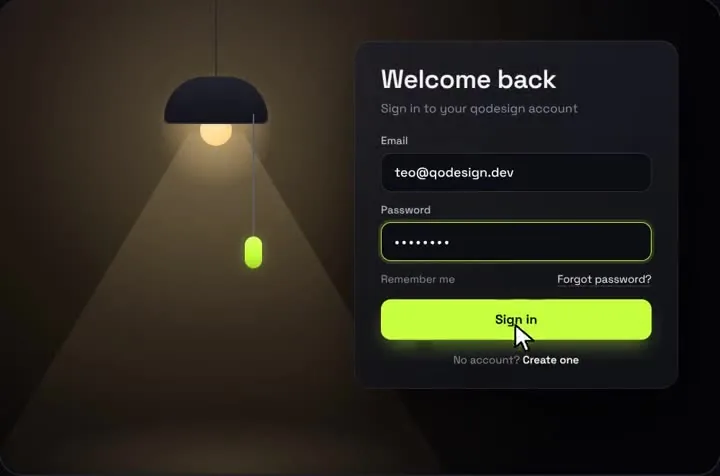
- onSubmit
- valid credentials, return a promise
- defaultOn
- start with the light on
- onToggle
- every pull
- accent
- bead and button colour
How qodesign compares
- qodesign vs UiverseUiverse is best for: single small elements: buttons, loaders, toggles, checkboxes, inputs.
- qodesign vs AnimataAnimata is best for: free animated building blocks you copy and adapt.
- qodesign vs Motion PrimitivesMotion Primitives is best for: small motion building blocks you compose yourself: text effects, number tickers, dialogs, toolbars.
All comparisons, with prices read on each library's own site.
From the blog: Animated Toggle Switch in React and Tailwind (Accessible, No Library)
From the blog: Draggable Pull Cord Toggle in React and Tailwind