Dark mode toggle for Next.js with next-themes
The free day / night toggle wired to next-themes: it follows the system setting, remembers the visitor's pick and never flashes the wrong theme on load.
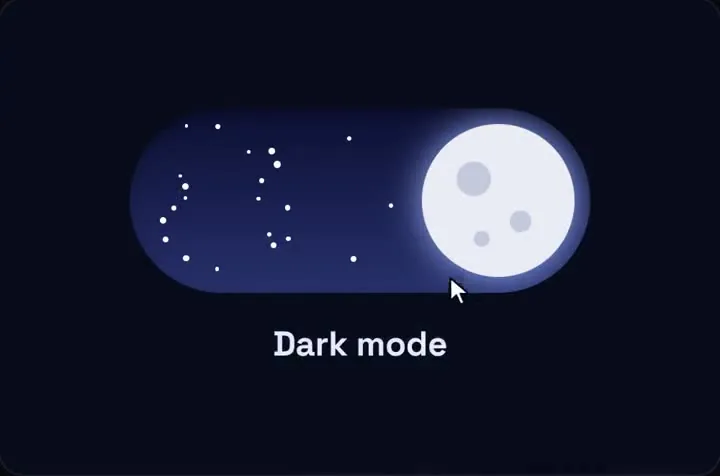 Loading live demo
Use it in Next.js
"use client";
import { useEffect, useState } from "react";
import { useTheme } from "next-themes";
import { DayNightToggle } from "qodesign-free/day-night-toggle";

export function ThemeSwitch() {
  const { resolvedTheme, setTheme } = useTheme();
  const [mounted, setMounted] = useState(false);
  useEffect(() => setMounted(true), []);

  // The server can't know the visitor's theme, so keep the space empty until the browser does.
  if (!mounted) return <div style={{ width: 96, height: 38 }} aria-hidden />;

  return (
    <DayNightToggle
      width={96}
      night={resolvedTheme === "dark"}
      onChange={(night) => setTheme(night ? "dark" : "light")}
      label="Dark mode"
    />
  );
}"use client";
import { ThemeProvider } from "next-themes";
export function Providers({ children }: { children: React.ReactNode }) {
return (
<ThemeProvider attribute="class" defaultTheme="system" enableSystem disableTransitionOnChange>
{children}
</ThemeProvider>
);
}import { Providers } from "./providers";
import "./globals.css";
export default function RootLayout({ children }: { children: React.ReactNode }) {
return (
// next-themes sets class="dark" before React loads, so React must not complain about it
<html lang="en" suppressHydrationWarning>
<body>
<Providers>{children}</Providers>
</body>
</html>
);
}@import "tailwindcss";
/* make dark: follow the class next-themes puts on <html> */
@custom-variant dark (&:where(.dark, .dark *));Good to know
- The toggle is controlled here (night plus onChange), so it moves by itself when the theme changes somewhere else: another tab, the system setting, or a second switch in your menu.
- Use resolvedTheme, not theme. With defaultTheme="system", theme reads "system" and the toggle would never know which way to point.
- The mounted check is what keeps the hydration warning away. Without it the server renders day, the browser decides night, and React reports a mismatch.
- On Tailwind 3, put darkMode: "class" in tailwind.config instead of the @custom-variant line.
- The toggle brings its own compiled CSS (qodesign-free 0.1.1 and later), so it doesn't need your Tailwind setup at all.
Install
- One command
npm i qodesign-free framer-motion next-themes - Or ask your AIPaste PROMPT.md into Cursor, Lovable or v0.
Props
- night
- controlled state, true = dark
- onChange
- (night) after every toggle
- width
- px; height follows at 2.5 : 1
- label
- accessible name, "Dark mode" by default
- defaultNight
- start dark when you don't control it
How qodesign compares
- qodesign vs UiverseUiverse is best for: single small elements: buttons, loaders, toggles, checkboxes, inputs.
- qodesign vs AnimataAnimata is best for: free animated building blocks you copy and adapt.
- qodesign vs Motion PrimitivesMotion Primitives is best for: small motion building blocks you compose yourself: text effects, number tickers, dialogs, toolbars.
All comparisons, with prices read on each library's own site.
Questions
Why does the switch show an empty box for a moment?
That is the mounted check. On the first paint the browser hasn't read the saved theme yet, and drawing the wrong state would flicker or cause a hydration warning.
Does it follow the system setting?
Yes. enableSystem plus defaultTheme="system" starts from the OS setting. Once the visitor clicks, next-themes saves their choice in localStorage.
Is it really free?
Yes. MIT licence, no email needed for the registry install.
Does the toggle work in Next.js?
Yes, as a client component. Keep "use client" at the top of the file that renders it, as in the snippet above. App Router and Pages Router both work.