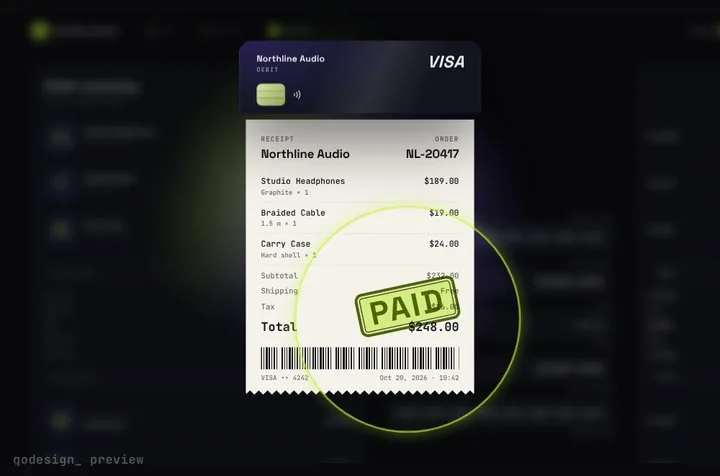
Razorpay Standard Checkout in the App Router
app/checkout/pay-button.tsx
"use client";
import { useState } from "react";
import { openRazorpay } from "@/lib/razorpay-checkout";
import { createOrder, verifyPayment } from "./actions";

export function PayButton() {
  const [busy, setBusy] = useState(false);
  const [message, setMessage] = useState<string | null>(null);

  async function pay() {
    setBusy(true);
    setMessage(null);
    try {
      const order = await createOrder();
      const result = await openRazorpay({
        key: process.env.NEXT_PUBLIC_RAZORPAY_KEY_ID!,
        amount: order.amount, // the order's own amount, in paise
        currency: order.currency,
        order_id: order.orderId,
        name: "Northline Audio",
        description: "Studio headphones",
        theme: { color: "#8b6cff" },
      });
      if (result.status === "closed") {
        setMessage(result.error ?? "Payment cancelled. Nothing was charged.");
        return;
      }
      const { ok } = await verifyPayment(result.response);
      setMessage(ok ? "Paid. Thanks!" : "We couldn't verify that payment. Please contact us before paying again.");
    } catch (err) {
      setMessage(err instanceof Error ? err.message : "Something went wrong. Try again.");
    } finally {
      setBusy(false);
    }
  }

  return (
    <div className="grid gap-3">
      <button
        onClick={pay}
        disabled={busy}
        className="rounded-xl bg-violet-500 px-5 py-3 font-medium text-white disabled:opacity-60"
      >
        {busy ? "Opening Razorpay..." : "Pay with Razorpay"}
      </button>
      {message && <p role="status" className="text-sm text-neutral-500">{message}</p>}
    </div>
  );
}
app/checkout/actions.ts (Server Actions: create the order, verify the signature)
"use server";
import { validatePaymentVerification } from "razorpay/dist/utils/razorpay-utils";
import { razorpay } from "@/lib/razorpay";
import type { RazorpaySuccess } from "@/lib/razorpay-checkout";

// The amount comes from your server, never from the browser. A Server Action is a public endpoint.
const ITEM = { name: "Studio headphones", amount: 249900 }; // in paise (1 rupee = 100 paise)

export async function createOrder() {
  const order = await razorpay.orders.create({
    amount: ITEM.amount,
    currency: "INR",
    receipt: `rcpt_${Date.now()}`, // your own reference, max 40 characters
    notes: { item: ITEM.name },
  });
  return { orderId: order.id, amount: Number(order.amount), currency: order.currency };
}

// Razorpay signs order_id|payment_id with your key secret. Check it before you mark anything paid.
export async function verifyPayment(response: RazorpaySuccess) {
  const ok = validatePaymentVerification(
    { order_id: response.razorpay_order_id, payment_id: response.razorpay_payment_id },
    response.razorpay_signature,
    process.env.RAZORPAY_KEY_SECRET!,
  );
  // ok means the reply really came from Razorpay for this order. Save the payment id with your order here.
  return { ok };
}
lib/razorpay-checkout.ts (loads checkout.js once, typed options, a Promise around the modal)
// checkout.js is a script tag that sets window.Razorpay. It ships no TypeScript types,
// so these are ours, written from Razorpay's Checkout options docs (read October 26, 2026).
export type RazorpaySuccess = {
  razorpay_payment_id: string;
  razorpay_order_id: string;
  razorpay_signature: string;
};

export type RazorpayFailure = {
  error: {
    code: string;
    description: string;
    source: string;
    step: string;
    reason: string;
    metadata: { order_id: string; payment_id: string };
  };
};

export type RazorpayOptions = {
  key: string; // your Key ID (rzp_test_... or rzp_live_...), never the secret
  amount: number; // in the currency subunit: paise for INR
  currency: string;
  order_id: string; // from orders.create on your server
  name: string; // your business name, shown at the top of the modal
  description?: string;
  image?: string; // logo URL or base64
  prefill?: { name?: string; email?: string; contact?: string };
  notes?: Record<string, string>;
  theme?: { color?: string; backdrop_color?: string };
  modal?: {
    ondismiss?: () => void;
    escape?: boolean;
    backdropclose?: boolean;
    confirm_close?: boolean;
    animation?: boolean;
  };
  retry?: { enabled?: boolean };
  config?: { display?: { language?: "en" | "ben" | "hi" | "mar" | "guj" | "tam" | "tel" } };
  handler: (response: RazorpaySuccess) => void;
};

export type RazorpayInstance = {
  open(): void;
  on(event: "payment.failed", callback: (response: RazorpayFailure) => void): void;
};

declare global {
  interface Window {
    Razorpay?: new (options: RazorpayOptions) => RazorpayInstance;
  }
}

let loading: Promise<void> | null = null;

// Loads checkout.js once, on first use, instead of on every page.
export function loadRazorpay(): Promise<void> {
  if (typeof window === "undefined") return Promise.reject(new Error("Razorpay Checkout runs in the browser."));
  if (window.Razorpay) return Promise.resolve();
  loading ??= new Promise<void>((resolve, reject) => {
    const script = document.createElement("script");
    script.src = "https://checkout.razorpay.com/v1/checkout.js";
    script.async = true;
    script.onload = () => resolve();
    script.onerror = () => {
      loading = null; // let the next click try again
      reject(new Error("Razorpay Checkout couldn't load. Check the connection or an ad blocker."));
    };
    document.body.appendChild(script);
  });
  return loading;
}

export type CheckoutResult =
  | { status: "paid"; response: RazorpaySuccess }
  | { status: "closed"; error?: string };

// Opens the modal and settles once: "paid" from handler, "closed" from ondismiss.
export async function openRazorpay(options: Omit<RazorpayOptions, "handler">): Promise<CheckoutResult> {
  await loadRazorpay();
  return new Promise<CheckoutResult>((resolve) => {
    let lastError: string | undefined;
    const rzp = new window.Razorpay!({
      ...options,
      handler: (response) => resolve({ status: "paid", response }),
      modal: { ...options.modal, ondismiss: () => resolve({ status: "closed", error: lastError }) },
    });
    // Retry is on by default: a failed attempt keeps the modal open so the buyer can try again.
    // Keep the reason and report it if they close the modal instead.
    rzp.on("payment.failed", (response) => {
      lastError = response.error.description;
    });
    rzp.open();
  });
}
lib/razorpay.ts
import Razorpay from "razorpay";

// Server only: never import this from a "use client" file. The key secret stays on the server.
export const razorpay = new Razorpay({
  key_id: process.env.RAZORPAY_KEY_ID!,
  key_secret: process.env.RAZORPAY_KEY_SECRET!,
});
app/checkout/page.tsx
import { PayButton } from "./pay-button";

export default function CheckoutPage() {
  return (
    <main className="mx-auto max-w-md px-6 py-16">
      <h1 className="text-2xl font-semibold">Studio headphones</h1>
      <p className="mt-2 mb-6 text-neutral-500">You pay in Razorpay's window: UPI, cards, netbanking or wallets.</p>
      <PayButton />
    </main>
  );
}
Props
- order
- the order the receipt shows (items, shipping, tax, total), priced on your server
- renderCardFields
- slot for a note: Razorpay collects card, UPI and bank details in its own modal
- onConfirm
- open Razorpay, verify the signature on your server, return ok or a message
- onComplete
- gets the receipt: orderId, total, last4 (empty with Razorpay), paidAt
- autoplayDemo
- false in a real app
- accent / secondary
- brand colours