Google Authenticator 2FA in Next.js
Two-factor sign-in for a Next.js web app with any authenticator app: otplib checks the six digits in a server action, and the animated code screen frosts the page until they match.
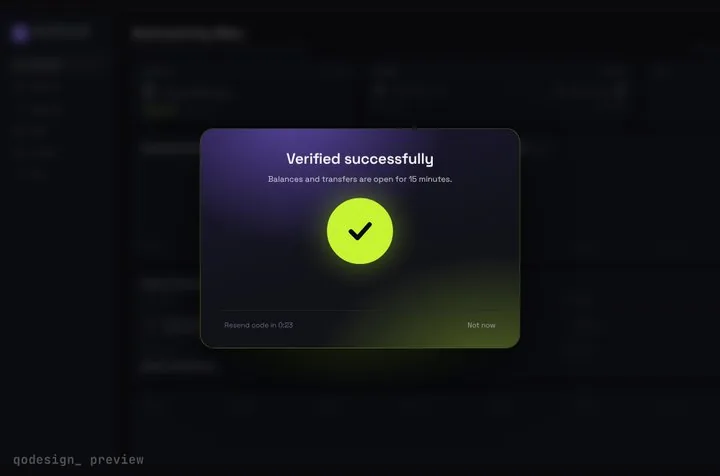 Loading live demo
Not downloaded yet? Full refund within 14 days. Broken files get fixed or refunded. Refunds
- Download right after paying
- Next.js + Cursor/v0 ready
- Use it in client projects
By buying you agree to the Terms and ask for instant access, so you lose the 14-day withdrawal right. When we still refundWe'll also email you when a new piece lands (about once a week). Unsubscribe in one click, anytime.
Paid through Stripe. We never see your card.
Ready forCursorv0Lovableshadcn CLI
Use it in Next.js
"use client";
import { useRouter } from "next/navigation";
import { StepUpGate } from "@/components/StepUpGate";
import { verifyTotp } from "./actions";

export default function BillingPage() {
  const router = useRouter();
  return (
    <StepUpGate
      title="Enter the code from your authenticator app"
      onVerify={(code) => verifyTotp(code)} // resolve true to unlock
      onVerified={() => router.refresh()}
      onCancel={() => router.push("/")}
    >
      <Billing />
    </StepUpGate>
  );
}"use server";
import { verify } from "otplib";
import { cookies } from "next/headers";
export async function verifyTotp(code: string) {
const user = await getCurrentUser(); // your session lookup
if (!user?.totpSecret) return false;
const { valid } = await verify({ secret: user.totpSecret, token: code });
if (valid) {
// remember the step-up for 15 minutes; check this cookie (signed, in real code) before showing billing data
(await cookies()).set("stepup", user.id, { httpOnly: true, secure: true, maxAge: 900 });
}
return valid;
}"use server";
import { generateSecret, generateURI } from "otplib";
import QRCode from "qrcode";
export async function startTotpSetup() {
const user = await getCurrentUser();
const secret = generateSecret();
await savePendingSecret(user.id, secret); // keep it pending until the first code checks out
const uri = generateURI({ issuer: "Acme", label: user.email, secret });
return { qr: await QRCode.toDataURL(uri), secret }; // show the QR, and the secret for manual entry
}Good to know
- This uses otplib 13, whose API changed from version 12: import verify, generateSecret and generateURI from "otplib" (the old authenticator object is gone), and verify returns { valid }, not a boolean.
- Everything secret stays on the server. The page only learns true or false, and the gate's arcs keep spinning until the server answers.
- Save the secret only after the user has typed one good code during setup. Otherwise a mistyped scan locks them out.
- Store the secret encrypted, add a rate limit on verifyTotp (5 tries per few minutes is common), and give out backup codes at setup.
- The gate hides the page with a blur on the client. The real protection is your server refusing billing data until the step-up cookie checks out.
- No onResend is passed, so the gate hides its Resend link. An authenticator app has nothing to resend. Not now shows a short neutral line; set cancelMessage to use your own words. Bought before October 22, 2026? Download the zip again to get both.
- The otplib calls match the package's own README for version 13.5. The recipe hasn't been run end to end in a live app.
Install
- Copy from the zipPut
react/src/components + react/src/dataintosrc/, thennpm i framer-motion otplib qrcode. - Or ask your AIPaste PROMPT.md into Cursor, Lovable or v0.
Props
- onVerify
- (code) → Promise<boolean>, true unlocks
- onVerified
- after the unlock animation
- length
- number of cells, 6 by default
- title / description
- the dialog's text
- autoSubmit
- submit when the last cell fills
- cancelMessage
- the line Not now shows
How qodesign compares
- qodesign vs Magic UIMagic UI is best for: landing pages built with shadcn/ui.
- qodesign vs Aceternity UIAceternity UI is best for: teams building many marketing pages who want one big library.
All comparisons, with prices read on each library's own site.
Questions
Does it work with Google Authenticator, 1Password and Authy?
Yes. They all read the same otpauth:// QR code and make the same 30-second codes.
Is this React Native?
No. It's React for the web, for Next.js and other React apps in a browser.
Can Cursor or v0 add it for me?
Yes. Each download has a PROMPT.md. Paste it into Cursor, Lovable, v0 or Claude Code and it fits the piece into your app.
Can I use it in client work?
Yes, in personal and client projects. You can't resell the code itself as a kit.