Animated two-factor authentication screen
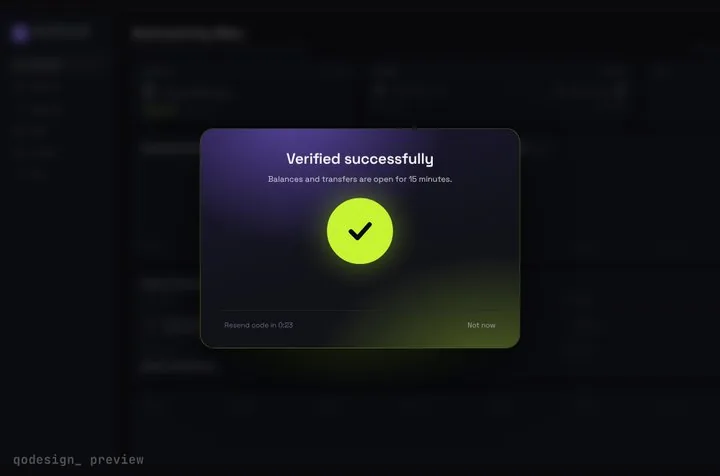
For React on the web and Next.js. A six-digit code screen frosts the page, spins while your server checks the code, then slides away to show what was behind it. Built with Framer Motion.
By buying you agree to the Terms and ask for instant access, so you lose the 14-day withdrawal right. When we still refundWe'll also email you when a new piece lands (about once a week). Unsubscribe in one click, anytime.
Use it in Next.js
"use client";
import { StepUpGate } from "@/components/StepUpGate";

export default function Security() {
  return (
    <StepUpGate
      title="Confirm it's you"
      onVerify={(code) => verifyTotp(code)} // your server check, resolve true or false
      onResend={() => sendNewCode()}
      onVerified={() => console.log("unlocked")}
    >
      <SecuritySettings />
    </StepUpGate>
  );
}
Good to know
- This is the web version, for React in the browser and Next.js, not a React Native screen. The animated OTP input page below has the full props list and the code chip.
- Framer Motion runs the whole sequence from one motion value, a timeline in seconds. useMotionValueEvent writes each frame straight to the DOM, so typing and the reveal don't re-render React.
- When the last digit lands, Framer Motion's animate() plays the timeline forward. The arcs spin until onVerify resolves, then the frost slides off the page. A wrong code shakes the cells and clears them after 0.7 s.
- The first cell has autocomplete="one-time-code" and every cell takes numbers only, so phones can suggest the code from a text. Pasting all six digits fills every cell. We haven't tested the autofill on a real phone yet.
- Widgets inside the locked page can read the same timeline with useGateTime() and animate as the page unlocks.
- Reduce Motion stops the shake on a wrong code. The unlock reveal itself doesn't read that setting yet.
Install
- Copy from the zipPut
react/src/components + react/src/dataintosrc/, thennpm i framer-motion. - Or ask your AIPaste PROMPT.md into Cursor, Lovable or v0.
Props
- children
- the page that stays frosted
- onVerify
- check the code on your server, resolve true to unlock
- onResend
- the resend button, after resendSeconds
- length
- number of cells, 6 by default
How qodesign compares
- qodesign vs Magic UIMagic UI is best for: landing pages built with shadcn/ui.
- qodesign vs Aceternity UIAceternity UI is best for: teams building many marketing pages who want one big library.
All comparisons, with prices read on each library's own site.
From the blog: OTP Input in React: Paste, Autofill and one-time-code That Work
From the blog: Animated SVG Checkmark in React and Tailwind
Questions
Is this for React Native?
No. It's for React on the web, in Next.js or Vite. The cells are plain inputs styled with CSS.
Does it check the code for me?
No, it's the screen. onVerify gets the digits. Check them on your server against your TOTP secret or your auth provider and return true or false.
Which framer-motion version does it need?
The package.json asks for framer-motion ^11.11.0. We haven't tested it with the motion package's motion/react import yet.
Can Cursor or v0 add it for me?
Yes. Each download has a PROMPT.md. Paste it into Cursor, Lovable, v0 or Claude Code and it fits the piece into your app.
Can I use it in client work?
Yes, in personal and client projects. You can't resell the code itself as a kit.