Liquid glass navbar for React, as a bottom tab bar
Liquid Glass Tab Bar is a liquid glass navbar for the bottom of a phone screen, built in React for the web. It isn't a top navbar and it isn't React Native.
By buying you agree to the Terms.
- Download right after paying
- Use it in client projects
- Won't run on the listed stack? We fix it or refund you
Ready forCursorv0Lovableshadcn CLI
Liquid glass navbar in Next.js: the paid bottom tab bar
"use client";
import { LiquidGlassTabBar } from "@/components/LiquidGlassTabBar";
import NW, { type NorthwindData } from "@/data/northwind";

// Keep the five ids: each one picks its icon inside the component.
// The labels and the Inbox badge are yours to change.
const data: NorthwindData = {
  ...NW,
  music: {
    ...NW.music,
    tabs: [
      { id: "home", label: "Home" },
      { id: "explore", label: "Search" },
      { id: "library", label: "Saved" },
      { id: "inbox", label: "Inbox", badge: 2 },
      { id: "profile", label: "Me" },
    ],
  },
};

export default function GlassTabsPage() {
  // "native" is the piece's own class: the phone screen fills this box
  // instead of sitting at 390 x 844 on the demo stage.
  return (
    <div className="native fixed inset-0 bg-[#0A0A0D]">
      <LiquidGlassTabBar
        data={data}
        autoplayDemo={false}
        onTabChange={(id) => history.replaceState(null, "", `#${id}`)}
        onOpenPlayer={() => console.log("player opened")}
      />
    </div>
  );
}Good to know
- It sits at the bottom of a phone screen and has five tabs. There is no logo slot, no row of text links and no hamburger menu, so it can't stand in for a top navbar.
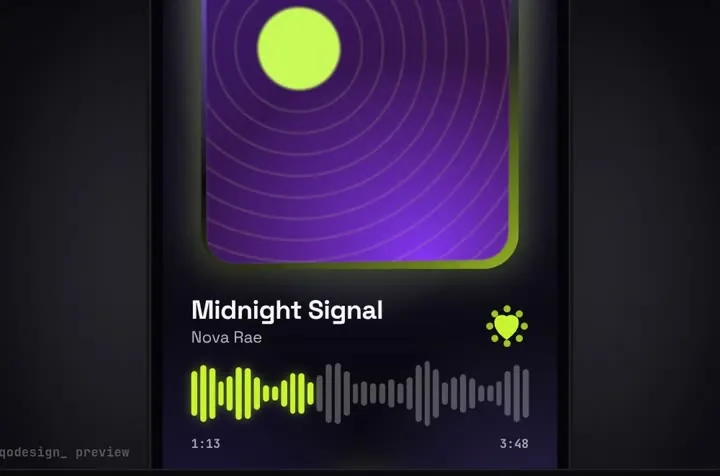
- The component draws the whole phone screen, not only the bar: a status bar, five demo music pages, the mini player and the full-screen player. To show your own screens, edit the Pages function in LiquidGlassTabBar.tsx. onTabChange hands you the tab id; the snippet writes it to the URL hash.
- Icons are picked by tab id (home, explore, library, inbox, profile). Labels and the badge are free to change through the data prop. A new id shows no icon until you add one to the ICON map, and the arrow keys and the drop geometry expect five tabs.
- It is built for phone widths. In our 1440 px test the five tabs spread across the whole window, so on a desktop layout keep it in a phone-sized box or show it only below a breakpoint.
- The type is Space Grotesk through the --font-ui variable. Load it (next/font or a link tag) or point --font-ui at your own font; otherwise it falls back to system-ui.
Liquid glass navbar with Tailwind: the free frosted bar
- If you want a glass bar across the top of a website, with your links in it, you don't need a paid piece. A translucent white background, a thin light border, backdrop-blur and backdrop-saturate get you most of the look. GlassNavbar.tsx below uses the same glass values as our tab bar: blur(16px) and saturate(1.9).
- In Tailwind v4, backdrop-blur-lg is blur(var(--blur-lg)), which the Tailwind docs list as 16px. backdrop-saturate takes an arbitrary value, so backdrop-saturate-[1.9] matches the tab bar exactly.
- For most people searching for a liquid glass navbar, this is the better fit. It's free, it's a top navbar, and Safari, Chrome and Firefox all support backdrop-filter. It needs something colourful behind it; on a flat background the glass reads as grey.
- What it doesn't do is bend light. Blur and saturation frost what's behind the bar, while Apple's Liquid Glass also refracts it at the edges. The next option does that part.
import Link from "next/link";

const links = [
  { href: "/", label: "Home" },
  { href: "/docs", label: "Docs" },
  { href: "/blog", label: "Blog" },
];

// A frosted top navbar: blur(16px) saturate(1.9), the same glass values as the paid tab bar.
// It needs something colourful behind it; on a flat page it reads as grey.
export function GlassNavbar() {
  return (
    <header className="sticky top-3 z-50 mx-auto w-fit">
      <nav
        aria-label="Main"
        className="flex items-center gap-1 rounded-full border border-white/15 bg-white/10 p-1.5 shadow-[inset_0_1px_0_rgba(255,255,255,.25),0_10px_30px_rgba(0,0,0,.35)] backdrop-blur-lg backdrop-saturate-[1.9]"
      >
        {links.map((l) => (
          <Link
            key={l.href}
            href={l.href}
            className="rounded-full px-4 py-2 text-sm text-white/80 transition-colors hover:bg-white/10 hover:text-white"
          >
            {l.label}
          </Link>
        ))}
      </nav>
    </header>
  );
}
liquid-glass-react: a liquid glass navbar with real refraction
- liquid-glass-react is free under the MIT license. It wraps whatever you give it in glass that bends what sits behind its edges. On October 25, 2026 npm listed version 1.1.1, published June 11, 2025, with 21,122 downloads in the week of October 16 to 22.
- Its README says: "Safari and Firefox only partially support the effect (displacement will not be visible)". In the 1.1.1 source the bending is an SVG displacement filter on the layer that also carries the backdrop blur, and the package leaves that filter off when the browser is Firefox.
- Three things we hit while building LiquidNavbar.tsx below. It asks for react and react-dom >=19 as peers. It takes its position from its own style prop: with a plain wrapper div around it, its border layers stayed at the middle of the screen in our test, so the snippet passes position, top and left to the component. And it sets a 20px system-ui font on its children, so the links set their own size.
- Pick it when the refraction matters and most of your visitors use Chrome or Edge. Our tab bar doesn't refract at all, so if bending light is the point, this free package does more than the paid piece.
"use client";
import Link from "next/link";
import LiquidGlass from "liquid-glass-react";

// liquid-glass-react 1.1.1 needs React 19. The edge bending shows in Chromium;
// its README says Safari and Firefox only get part of the effect.
// Position it through its own style prop: the glass and its border layers all read
// position, top and left from there and center themselves on that point.
// It sets a 20px system-ui font on what you put inside, so each link sets its own size.
export function LiquidNavbar() {
  return (
    <LiquidGlass
      style={{ position: "fixed", top: "40px", left: "50%", zIndex: 50 }}
      cornerRadius={999}
      padding="6px 10px"
      displacementScale={48}
      blurAmount={0.08}
      saturation={140}
    >
      <nav aria-label="Main" className="flex gap-1 text-white">
        <Link href="/" className="rounded-full px-3 py-1.5 text-sm">Home</Link>
        <Link href="/docs" className="rounded-full px-3 py-1.5 text-sm">Docs</Link>
        <Link href="/blog" className="rounded-full px-3 py-1.5 text-sm">Blog</Link>
      </nav>
    </LiquidGlass>
  );
}
Liquid glass navbar in React Native: use the native one
- Google's suggestions for this phrase include "react native liquid glass navbar" (read October 25, 2026). Nothing on this page runs in React Native, and on iOS 26 the system draws the real thing for you.
- For tabs, Expo Router's native tabs. Expo's docs say: "On iOS 26 and later, the system draws the tab bar with Liquid Glass and derives its background from the content behind it."
- For glass on your own views, expo-glass-effect (version 58.0.5 on npm on October 25, 2026, MIT). Its docs say: "GlassView is only available on iOS 26 and above. It will fallback to regular View on unsupported platforms."
- We didn't build a React Native app for this page. Those lines are quotes from Expo's docs as read today.
What the paid liquid glass tab bar adds, and where it stops
- Liquid Glass Tab Bar is the iOS 26 tab bar look for a web app on a phone. It's React, Tailwind and Framer Motion, and it runs in a phone browser or a PWA.
- The selected tab sits under a glass lens that magnifies its icon in lime. Tap another tab and the lens travels on a spring (stiffness 380, damping 26) and stretches with its speed on the way. Scroll down and the bar shrinks to one bubble with the mini player beside it. Tap the track and the drop lifts out of the bar and bursts into a full-screen player.
- You pay for that motion. The glass recipe itself is free: it's the Tailwind bar earlier on this page.
- The lens is a scaled copy of the bar with a coloured edge, not an SVG refraction filter, so it doesn't depend on Chromium. We read that from its CSS and checked it in headless Chromium only, not on a real iPhone.
- Where it stops: it lives at the bottom, it has five tabs, and it draws the whole screen around itself. If your app needs a top navbar, a sidebar or a menu with ten links, it's the wrong piece.
Liquid glass navbar on Tailwind v4 and React 19
- Our Tailwind v4 check on October 25, 2026 rendered every paid piece in Next.js 16.4.3 with Tailwind 4.3.3 and React 19.3.1. Its verdict for this piece is works as-is, and in its words "v4 actually renders as designed". Under v3, Tailwind's own .ring utility (a 3px blue ring) overrides the component's lime .ring glow during the tab-switch pulse. Under v4 the component CSS wins, because utilities sit in a cascade layer.
- Preflight comes back on under v4, because the piece turns it off in its v3 config and v4 has no corePlugins. The check found that the only effect here is svg display:block and the button resets, with layout otherwise unchanged. So app/globals.css needs only @import "tailwindcss"; with no @config line. That holds for the piece on its own; in a shadcn or other UI-kit app, scope its CSS first (see the section further down).
- The download pins React 18.3.1 and framer-motion ^11.11.0. framer-motion 14.6.0, the current version on npm today, lists react ^18.0.0 || ^19.0.0 as its peer range, and this page's snippet was built with it.
- What we ran on October 25, 2026: a scratch Next.js 16.4.3 app with React 19.3.1, Tailwind 4.3.3, framer-motion 14.6.0, liquid-glass-react 1.1.1 and TypeScript 7.0.2. tsc and next build passed for the three files on this page, and a deliberate type error was caught as a control. In headless Chromium at 390 and 1440 wide, the tab bar showed the new labels and the badge, a tap and the right arrow key moved the lens and wrote #explore and #library to the URL, and nothing scrolled sideways. Both free navbars rendered with their backdrop filters.
- Not run: Safari, Firefox, a real iPhone, a screen reader or a React Native app.
Liquid glass navbar in a shadcn app: scope the tab bar's CSS
- The Tailwind v4 note above is about the piece on its own page. In an app with a UI kit, importing tabbar-liquid.css as shipped is a problem: the file is unlayered and global. It sets html and body to a dark background and Space Grotesk, resets every button, puts --muted and other colours on :root, and gives every .grid two columns with a 14px gap.
- Unlayered CSS beats Tailwind v4's layers, so in a shadcn app those rules win. We measured it on October 25, 2026: a shadcn Button lost its background and padding, a grid gap-2 split into two columns, bg-muted changed colour, and the body turned dark. Only shadcn was measured; other kits that style button, body or .grid can hit the same rules.
- The fix is two edits to your copy of the file: wrap it in @scope (.qd-tabbar) to (.qd-screen) and change :root to :scope. Then render the bar inside a qd-tabbar div with a native div inside it, as below. The glass, the lens and the player keep working inside the wrapper, and nothing outside it changes.
- We measured the scoped edit in a scratch shadcn app for the shadcn bottom navigation guide (linked under More for React), which has the full explanation and a three-line component edit for putting your own screens inside the bar. This page didn't run it again.
- Browser support for @scope, from MDN's compatibility data and caniuse, both read October 25, 2026: Chrome and Edge 118+, Firefox 146+, Safari 17.4+ on Mac and iPhone. Safari 26.0 to 26.3 has a partial version that skips input and textarea elements, and the bar has neither. A browser without @scope drops the whole block, so the bar shows up unstyled there.
- If you have to support older browsers, prefix every selector in your copy with .qd-tabbar instead of using @scope, and turn :root into .qd-tabbar. That keeps the file off your html, body and the rest of your app in every browser. It has no lower edge, though, so the bar's button reset and .grid rule still reach anything you put inside the bar. We haven't measured that version.
/* components/tabbar-liquid.css (your copy). Edit 1: the file's first rule was ":root{". */
@scope (.qd-tabbar) to (.qd-screen) {
:scope{font-family:var(--font-ui);color:var(--text);
  --ink:#0A0A0D;--surface:#111218; /* ...every variable that was on :root stays here... */
}
/* ...the rest of the file stays as it is... */

/* Edit 2: hide the demo's 9:41 status bar, then close the @scope block. */
.sb{display:none}
}// app/listen/page.tsx: give the scoped CSS a root. "native" fills the screen instead of the demo's phone frame.
<div className="h-dvh">
<div className="qd-tabbar relative h-full">
<div className="native">
<LiquidGlassTabBar autoplayDemo={false} data={data} />
</div>
</div>
</div>Install
- Copy from the zipPut
react/src/components + react/src/dataintosrc/, thennpm i framer-motion. - Or ask your AIPaste PROMPT.md into Cursor, Lovable or v0.
Props
- data
- your tabs (labels, badge), now playing and covers
- onTabChange
- called with the tab id
- onOpenPlayer
- the drop opened into the player
- autoplayDemo
- false in a real app; true loops the demo until the first tap
How qodesign compares
- qodesign vs Hover.devHover.dev is best for: animated website sections you copy and paste.
- qodesign vs Cult UICult UI is best for: free animated shadcn components and device mockups.
All comparisons, with prices read on each library's own site.
Questions
Is this a top navbar?
No. Liquid Glass Tab Bar sits at the bottom of a phone screen. For a glass bar across the top of a site, the free GlassNavbar snippet on this page is the better fit.
Is it React Native?
No. It's React for the web. For React Native on iOS 26, Expo Router's native tabs give you the system Liquid Glass tab bar.
Does the glass bend light like iOS 26?
No. It frosts with blur and saturation, and the lens magnifies the icon with a scaled copy of the bar. liquid-glass-react does edge refraction, in Chromium browsers.
Can I change the tabs?
Yes, the labels and the badge, through the data prop. Keep the five ids, or add your own icons to the ICON map in the component.
Does the tab bar work in Next.js?
Yes, as a client component. Keep "use client" at the top of the file that renders it, as in the snippet above. App Router and Pages Router both work.
Will the glass tab bar change my shadcn styles?
Imported as shipped, yes: its CSS is global and we measured shadcn Buttons losing their background and padding. The @scope edit on this page keeps it inside its own wrapper.
Can Cursor or v0 add it for me?
Yes. Each download has a PROMPT.md. Paste it into Cursor, Lovable, v0 or Claude Code and it fits the piece into your app.
Can I use it in client work?
Yes, in personal and client projects. You can't resell the code itself as a kit.