Animated bottom navigation for React
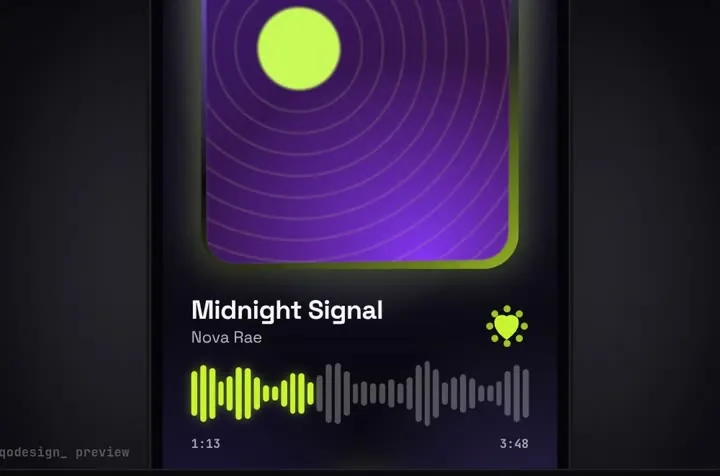
A glass bottom nav for React on the web: a drop slides between tabs on a spring and opens into a mini player. Tailwind, Framer Motion, Next.js.
By buying you agree to the Terms and ask for instant access, so you lose the 14-day withdrawal right. When we still refundWe'll also email you when a new piece lands (about once a week). Unsubscribe in one click, anytime.
Use it in Next.js
"use client";
import { useRouter } from "next/navigation";
import { LiquidGlassTabBar } from "@/components/LiquidGlassTabBar";

export default function BottomNav() {
  const router = useRouter();
  return (
    <LiquidGlassTabBar
      autoplayDemo={false}
      // tab ids come from data: home, explore, library, inbox, profile
      onTabChange={(id) => router.push(`/${id}`)}
      onOpenPlayer={() => console.log("player opened")}
    />
  );
}
Good to know
- This is React for the web, not React Native. It runs in a phone browser, in a PWA and on desktop.
- Framer Motion moves the drop. Its position is a useSpring (stiffness 380, damping 26), and useVelocity on that spring stretches the drop while it travels.
- Scrolling down shrinks the bar on a spring (stiffness 260, damping 30). Opening the player animates one motion value from 0 to 1 over 0.9 s, and the drawing reads it every frame.
- The glass is backdrop-filter: blur(16px) saturate(1.9), which Safari on iPhone supports. The liquid glass page below has the same values as Tailwind classes.
- The left and right arrow keys move between tabs.
- The component draws the phone screen around the bar too, with demo pages and a now playing card. The data prop sets your tabs, now playing and covers.
Install
- Copy from the zipPut
react/src/components + react/src/dataintosrc/, thennpm i framer-motion. - Or ask your AIPaste PROMPT.md into Cursor, Lovable or v0.
Props
- onTabChange
- called with the tab id
- onOpenPlayer
- the drop opened into the player
- data
- your tabs, now playing and covers
- autoplayDemo
- false in a real app; true loops the demo until the first tap
How qodesign compares
- qodesign vs Hover.devHover.dev is best for: animated website sections you copy and paste.
- qodesign vs Cult UICult UI is best for: free animated shadcn components and device mockups.
All comparisons, with prices read on each library's own site.
From the blog: Animated Tabs with Framer Motion in Next.js App Router
From the blog: Liquid Glass in React and Tailwind: What Works in Chrome, Safari and Firefox
From the blog: Hide Navbar on Scroll Down in React and Tailwind
Questions
Is this React Native?
No. It's React for the web, built with Tailwind and Framer Motion. It works in Next.js, Vite or any React app that runs in a browser.
Does the bottom nav work in Next.js?
Yes, as a client component. Keep "use client" at the top of the file that renders it, as in the snippet above. App Router and Pages Router both work.
Which framer-motion version does it need?
The package.json asks for framer-motion ^11.11.0. We haven't tested it with the motion package's motion/react import yet.
Can Cursor or v0 add it for me?
Yes. Each download has a PROMPT.md. Paste it into Cursor, Lovable, v0 or Claude Code and it fits the piece into your app.
Can I use it in client work?
Yes, in personal and client projects. You can't resell the code itself as a kit.