Clerk email code sign-in for Next.js
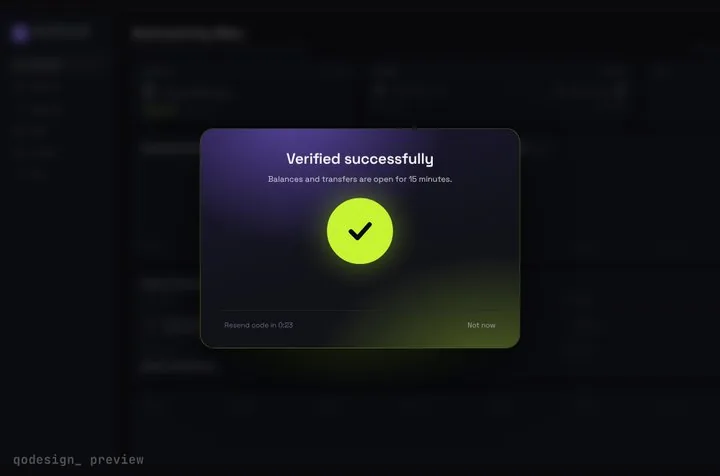
Passwordless sign-in on Clerk's useSignIn hook: the user types an email, Clerk sends a 6-digit code, and the animated code card checks it and opens the app.
By buying you agree to the Terms.
- Download right after paying
- Use it in client projects
- Won't run on the listed stack? We fix it or refund you
Ready forCursorv0Lovableshadcn CLI
Use it in Next.js
"use client";
import { useState } from "react";
import { useRouter } from "next/navigation";
import { useSignIn } from "@clerk/nextjs";
import { StepUpGate } from "@/components/StepUpGate";

export default function SignInPage() {
  const router = useRouter();
  const { signIn } = useSignIn();
  const [email, setEmail] = useState("");
  const [codeSent, setCodeSent] = useState(false);
  const [error, setError] = useState("");

  async function sendCode() {
    setError("");
    const { error } = await signIn.emailCode.sendCode({ emailAddress: email });
    if (error) return setError(error.longMessage ?? error.message);
    setCodeSent(true);
  }

  if (codeSent) {
    return (
      <StepUpGate
        title="Check your email"
        description={`Enter the 6-digit code we sent to ${email}.`}
        successTitle="You're in"
        successDescription="Opening your dashboard."
        onVerify={async (code) => {
          const { error } = await signIn.emailCode.verifyCode({ code });
          // a wrong or expired code returns an error: the cells shake and the user types again
          return !error && signIn.status === "complete";
        }}
        onResend={() => void signIn.emailCode.sendCode()}
        onCancel={() => setCodeSent(false)}
        onVerified={() =>
          void signIn.finalize({
            navigate: ({ decorateUrl }) => {
              const url = decorateUrl("/dashboard");
              if (url.startsWith("http")) window.location.href = url;
              else router.push(url);
            },
          })
        }
      >
        {/* whatever should sit blurred behind the code card */}
        <div className="grid min-h-dvh place-items-center bg-[#0b0c10] text-white/40">Your dashboard</div>
      </StepUpGate>
    );
  }

  return (
    <main className="grid min-h-dvh place-items-center bg-[#0b0c10] text-white">
      <form
        onSubmit={(e) => {
          e.preventDefault();
          void sendCode();
        }}
        className="grid w-80 gap-3"
      >
        <label htmlFor="email" className="text-sm text-white/70">Email</label>
        <input id="email" type="email" autoComplete="email" required value={email}
          onChange={(e) => setEmail(e.target.value)}
          className="rounded-lg bg-white/10 px-3 py-2 outline-none focus:ring-2 focus:ring-[#C6F432]" />
        <button className="rounded-lg bg-[#C6F432] px-3 py-2 font-medium text-black">Email me a code</button>
        {error ? <p role="alert" className="text-sm text-red-400">{error}</p> : null}
      </form>
    </main>
  );
}Good to know
- Written for @clerk/nextjs 7, where useSignIn returns a signIn object with emailCode.sendCode(), emailCode.verifyCode() and finalize(). We type-checked it against 7.9. Older guides use signIn.create with prepareFirstFactor and attemptFirstFactor, and that code doesn't type-check on version 7.
- Turn on Email verification code as a sign-in option in the Clerk Dashboard. Clerk sends the email itself, so there's no mail service to set up.
- onResend calls sendCode() with no address. The sign-in already knows the email from the first send.
- onVerify only returns true when the sign-in is complete. If an account also has two-factor auth on, the status stays at needs_second_factor and the card shakes. Add Clerk's second-factor step for those users.
- Wrap your app in ClerkProvider and set your Clerk keys, as in Clerk's Next.js quickstart. This page only replaces the form.
- Copy StepUpGate.tsx, step-up-gate.css and timeline.ts from react/src/components. The gate frosts whatever you pass as children.
Install
- Copy from the zipPut
react/src/componentsintosrc/, thennpm i framer-motion @clerk/nextjs. - Or ask your AIPaste PROMPT.md into Cursor, Lovable or v0.
Props
- onVerify
- (code) → true when Clerk says complete
- onResend
- send a fresh code
- onCancel
- back to the email field
- onVerified
- runs after the unlock animation
- title / description
- card text
- length
- number of cells (6 for Clerk)
How qodesign compares
- qodesign vs Magic UIMagic UI is best for: landing pages built with shadcn/ui.
- qodesign vs Aceternity UIAceternity UI is best for: teams building many marketing pages who want one big library.
All comparisons, with prices read on each library's own site.
Questions
Why not Clerk's own SignIn component?
Use it if you like how it looks. This is for when you want the code step to feel like part of your app, with the dashboard waiting behind the glass.
Can new users sign up with the same screen?
Not with this snippet. Clerk splits sign-in and sign-up. Use signUp.emailCode the same way on your sign-up page, or send people there when Clerk says the account doesn't exist.
What happens with a wrong code?
verifyCode returns an error, onVerify returns false, and the cells shake. The user can type again or press resend.
Does the code screen work in Next.js?
Yes, as a client component. Keep "use client" at the top of the file that renders it, as in the snippet above. App Router and Pages Router both work.
Can Cursor or v0 add it for me?
Yes. Each download has a PROMPT.md. Paste it into Cursor, Lovable, v0 or Claude Code and it fits the piece into your app.
Can I use it in client work?
Yes, in personal and client projects. You can't resell the code itself as a kit.