TL;DR A shadcn registry is a set of JSON files describing components. Install a third-party item with npx shadcn@latest add and the item's URL, or register the registry under a namespace in components.json and run npx shadcn@latest add @namespace/item. Use view or --dry-run first to see every file and dependency.
A shadcn registry is a set of JSON files that describe components, and the shadcn CLI can install from anyone's registry, not only shadcn's own. To install a third-party component, run npx shadcn@latest add with the URL of the registry item's JSON file, for example npx shadcn@latest add https://example.com/r/button.json. The CLI downloads the item, writes its files into your project using the paths in your components.json, and installs the npm packages it lists. For registries you use often, add them under "registries" in components.json with a namespace, and then install with npx shadcn@latest add @namespace/item-name.
Most registry guides are written for people building a registry. This one is for the other side: installing from one. Below I install a real item from a public third-party registry into a fresh Next.js 15 app, show the CLI output, explain how to check what you're installing before it touches your code, and list the errors I got when something was wrong. I ran everything with shadcn CLI 4.22.1, and the app passed tsc --noEmit and next build afterwards.
A registry is a set of JSON files served over HTTP. Each file describes one item: its name, type, npm dependencies, other registry items it needs and the source code of its files. The registry-item.json reference documents the format. A registry usually also has a registry.json that lists all its items.
The shadcn/ui components themselves come from shadcn's own registry, but the CLI doesn't care whose registry it reads. Anyone can publish one, and that's how component libraries outside shadcn ship code you can own instead of a package you import. There's a list of public ones in the registry directory.
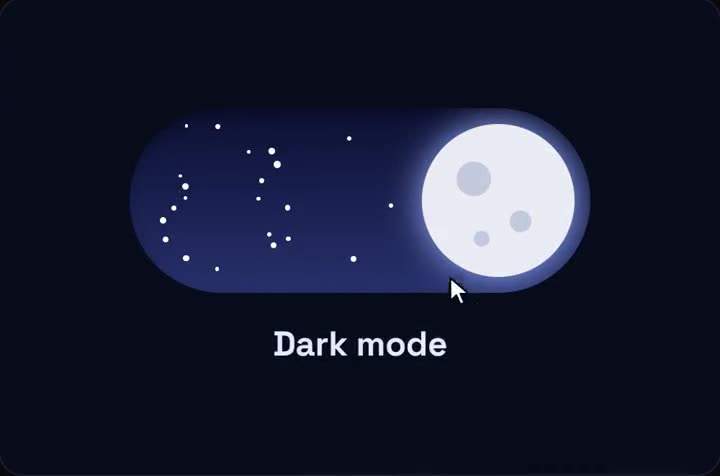
Day / Night Toggle running live. A theme switch with a sun that sets into a starry night.
With a package, you import a component and live with its API. When it doesn't do what you need, you wrap it, override its styles or fork it. With a registry item, the file is in your repo from the first minute. You can rename props, swap the animation library or delete half of it, and nothing breaks on the next update, because there is no next update unless you ask for one.
The trade-off is that you own the bugs too. That's why the checking steps below matter more than they would for a package with thousands of users. For small UI pieces such as a toggle, a pricing switch or a toast, I'd take ownership every time.
You need a components.json, which shadcn init creates. In an existing Next.js app:
bash
npx shadcn@latest init -d -y
In my app the CLI detected Next.js and Tailwind v4, wrote components.json, added src/lib/utils.ts and a button, and updated src/app/globals.css with its theme variables. The part of components.json that decides where third-party files go is aliases:
For this example I used the free qodesign registry, whose index lives at https://teodoravadani.github.io/qodesign-free/r/registry.json. Each item is a separate file next to it. The day/night theme toggle is day-night-toggle.json.
view prints the item's full JSON, including the source of every file. --dry-run shows what add would do without writing anything. Here's what it printed for me:
┌ shadcn add https://teodoravadani.github.io/qodesign-free/r/day-night-toggle.json (dry run)
│
├ Files (1) +1 new
│ + src/components/day-night-toggle/DayNightToggle.tsx  create
│
├ Dependencies (1)
│ + framer-motion
│
│ 1 file, 1 dep
│
│ Run with --diff to view changes.
│ Run with --view to view file contents.
└ Run without --dry-run to apply.
That's the whole footprint: one new file and one npm package. If an item wanted to overwrite something you already have, --diff would show the change line by line.
The item's JSON says the file's target is components/day-night-toggle/DayNightToggle.tsx. My project uses a src directory, so the CLI wrote it to src/components/day-night-toggle/DayNightToggle.tsx. Items of type registry:ui land under your ui alias, hooks under hooks, and so on. The type field on each item and file decides it.
The dependencies array is passed to your package manager. This item lists framer-motion, so framer-motion was added to package.json. My app already had motion (the new name of the same library), so I ended up with both. If that bothers you, change the import in the installed file from framer-motion to motion/react and remove the extra package. The file is yours now, so editing it is the normal workflow.
registryDependencies work the same way, one level up. If an item needs shadcn's button or an item from another registry, the CLI installs those first.
The installed file starts with "use client", so it can be imported straight into a Server Component page in the App Router:
tsx
import DayNightToggle from "@/components/day-night-toggle/DayNightToggle";import PricingSwitch, { type Plan } from "@/components/pricing-switch/PricingSwitch";const plans: Plan[] = [ { id: "solo", name: "Solo", description: "For one project", monthly: 12, yearly: 10, cta: "Start", features: ["1 project", "Email support"] }, { id: "team", name: "Team", description: "For a small team", monthly: 29, yearly: 24, cta: "Start", features: ["10 projects", "Priority support"], featured: true },];export default function Page() { return ( <main className="mx-auto max-w-4xl space-y-16 p-10"> <DayNightToggle width={240} /> <PricingSwitch plans={plans} /> </main> );}
The second import is the pricing switch from the same registry, installed with the namespace syntax from the next section. With both in place, npx tsc --noEmit and npx next build passed and the page prerendered as static content. If you install an item that doesn't have the directive and uses hooks, you'll get the "only works in a Client Component" build error, and adding "use client" to the top of the installed file fixes it.
Pasting full URLs gets old. Since CLI 3.0 you can register a registry once under a namespace. The URL must contain {name}, which the CLI replaces with the item name (namespaces docs):
You can also list everything a namespaced registry offers:
bash
npx shadcn@latest search @qodesign-free
Found 6 items in @qodesign-free
Showing 1-6 of 6

- @qodesign-free/orbit-dashboard (block) — Dark ops dashboard: KPI cards with count-up and sparklines, animated...
- @qodesign-free/ledger-dashboard (block) — Dark trading screen: candlesticks with MA lines and volume, crosshair OHLC,...
- @qodesign-free/toast-stack (component) — Toasts that stack like a deck, fan out on hover with the page blurred...
- @qodesign-free/pricing-switch (component) — Monthly/yearly pricing switch with a stretchy pill, odometer prices, a...
- @qodesign-free/upload-dropzone (component) — Drag-and-drop upload zone: the border lights up, a shockwave rolls out on...
- @qodesign-free/day-night-toggle (component) — Theme switch where the sun rolls into a moon, clouds fall away and stars...
A namespace entry can also be an object with headers. That's how paid or internal registries work: the token stays in an environment variable, and the CLI expands it when it makes the request. This is the shape from the shadcn docs:
Three errors cover most failed installs from third-party registries. I triggered each one on purpose with --dry-run in the same app (CLI 4.22.1) to get the exact text.
A namespace you haven't registered:
$ npx shadcn add @acme/button --dry-run
Unknown registry "@acme". Make sure it is defined under "registries" in your components.json or package.json file:
An item name that doesn't exist, whether you used a full URL or a namespace. With a namespace, the message shows the URL the CLI built from your {name} template, which is the fastest way to spot a typo in the template itself:
$ npx shadcn add @qodesign-free/nope --dry-run
The item at https://teodoravadani.github.io/qodesign-free/r/nope.json was not found. It may not exist at the registry.
And after a successful install, the build error from an item that uses hooks without "use client", covered in the section above.
Error or symptom
Likely cause
Fix
Unknown registry "@x"
Namespace missing from registries
Add it to components.json
The item at ... was not found
Wrong item name, or the URL template has no {name}
Run search @x to list real names, fix the template
Two animation packages after install
Item lists framer-motion, you use motion
Switch the import to motion/react, remove one
"only works in a Client Component" at build
Installed file uses hooks but has no directive
Add "use client" at the top of the file
Files land in an odd folder
Your aliases differ from what the item expects
Check aliases in components.json, then move the file
When the error mentions a previous CLI version, it's a generic hint the CLI prints with every failure. In my three cases the problem was the name or the config, not the version.
Yes. shadcn documents an MCP server that lets assistants like Cursor or Claude Code browse, search and install items from the registries in your components.json, so the namespace you add above is also what the assistant sees. I'd still run --dry-run myself or read the diff it produces, for the same reasons as below.
The shadcn registry directory is the first stop. For animation-heavy pieces, the free qodesign registry above is open source on GitHub, and you can try one piece with its full source from the /free page. The day/night toggle used in this post has its own page with a live demo, and the micro-interactions collection has more small components of the same kind.
I make animated React components at qodesign, and the free registry in this post is the one I maintain.
Run npx shadcn@latest add with the full URL of the item's JSON file. If you use that registry often, add it under registries in components.json with a namespace and a URL containing {name}, then install with npx shadcn@latest add @namespace/item.
The official registry directory at ui.shadcn.com/docs/directory lists public registries you can add by namespace. Which one is best depends on what you need; pick by reading an item's source with view before you install, not by the size of the list.
Start with the registry directory in the shadcn docs, then the GitHub pages of component libraries, many of which publish a registry.json. Once a registry is in your components.json, npx shadcn@latest search @namespace lists everything it offers.
No. The files are copied into your repo and stay as they are. To pull a newer version, run add again with --diff to see what changed before you overwrite your edits.