Animated search bar for Next.js
A navbar pill that opens into a search box and grows a result row for every match. Picking a result calls router.push, so search becomes navigation for your Next.js site.
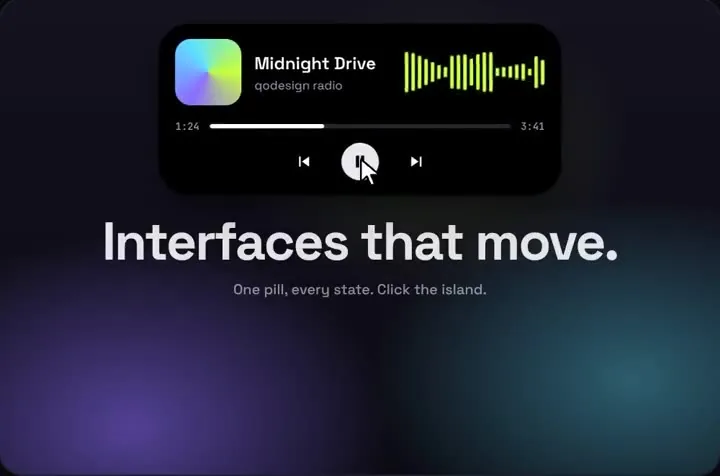 Loading live demo
Not downloaded yet? Full refund within 14 days. Broken files get fixed or refunded. Refunds
- Download right after paying
- Next.js + Cursor/v0 ready
- Use it in client projects
By buying you agree to the Terms and ask for instant access, so you lose the 14-day withdrawal right. When we still refundWe'll also email you when a new piece lands (about once a week). Unsubscribe in one click, anytime.
Paid through Stripe. We never see your card.
Ready forCursorv0Lovableshadcn CLI
Use it in Next.js
"use client";
import { useRouter } from "next/navigation";
import DynamicIsland from "@/components/DynamicIsland";

// what search can find, and where each result goes
const PAGES: Record<string, string> = {
  "Pricing": "/pricing",
  "Docs: Getting started": "/docs",
  "Docs: API keys": "/docs/api-keys",
  "Changelog": "/changelog",
  "Contact": "/contact",
};

export function SiteSearch() {
  const router = useRouter();
  return (
    // the island is 600 px wide with search open: scale it down on phones
    <div className="relative h-20 origin-top max-sm:scale-[0.57]">
      <DynamicIsland
        items={Object.keys(PAGES)}
        resultTag="page"
        searchPlaceholder="Search the site"
        onSelect={(item) => router.push(PAGES[item])}
        onHome={() => router.push("/")}
        tabs={["search"]}
        top={16}
      />
    </div>
  );
}import { SiteSearch } from "@/components/SiteSearch";
import "./globals.css";
export default function RootLayout({ children }: { children: React.ReactNode }) {
return (
<html lang="en">
<body>
<header className="sticky top-0 z-50">
<SiteSearch />
</header>
{children}
</body>
</html>
);
}Good to know
- The search tab in the pill opens the box. Matching is a case-insensitive "contains" over items, and the island grows one row per match.
- Escape or a click outside closes it, and picking a result closes it too.
- Enter picks the first match. Arrow keys move between the results, which are real buttons, and Enter or Space picks one, so keyboard users never need the mouse.
- items is a plain list of strings. For a big docs site, fetch the titles from your search index and pass them in; the island only draws what it gets.
- tabs={["search"]} hides the pill's Now playing and Notifications tabs, and the pill gets narrower to fit. Leave it out to keep all three. Bought before October 22, 2026? Download the zip again for tabs and the keyboard support.
- It's absolutely positioned and centred at the top of its parent (top is in px), which is why the wrapper above is relative.
- Below 640 px the wrapper scales the island to 57%, so the 600 px search box fits a 360 px phone with no sideways scroll. Without it the box hangs off both edges and the page scrolls sideways.
- Tested on Oct 21, 2026 in a fresh Next.js 15.5 app (React 19.1, Tailwind 4) at 1440 and 390 px wide: typing filters the results, a click goes to the page, and Escape and the Home tab work. It calls no outside service, so nothing was mocked.
Install
- Copy from the zipPut
react/src/componentsintosrc/, thennpm i framer-motion. - Or ask your AIPaste PROMPT.md into Cursor, Lovable or v0.
Props
- items
- the strings search can find
- onSelect
- (item) a result was picked
- searchPlaceholder
- text in the empty box
- resultTag
- small label on each result
- onHome
- the home tab
- tabs
- which tabs sit next to Home
- top
- px from the top of the parent
How qodesign compares
- qodesign vs Hover.devHover.dev is best for: animated website sections you copy and paste.
- qodesign vs Cult UICult UI is best for: free animated shadcn components and device mockups.
All comparisons, with prices read on each library's own site.
Questions
Does it work in the App Router?
Yes. It's a client component; keep it in a file with "use client", as above, and put it in your root layout.
Can it search my database?
Pass whatever strings you want in items. For live results, update items as the visitor types from your own fetch.
Can Cursor or v0 add it for me?
Yes. Each download has a PROMPT.md. Paste it into Cursor, Lovable, v0 or Claude Code and it fits the piece into your app.
Can I use it in client work?
Yes, in personal and client projects. You can't resell the code itself as a kit.