Build an AI Chat Input in React and Tailwind (Enter to Send, Stop, Auto-Grow)

Updated 5 min read

TL;DR An AI chat input in React needs a textarea that grows with the prompt, Enter to send with Shift+Enter for new lines, no send while an IME is composing, and a Stop button that aborts the stream. The ChatComposer below does all of that with Tailwind CSS v4 and no animation library.

On this page
  1. What should an AI chat input do?
  2. The ChatComposer component
  3. How does the textarea auto-grow?
  4. Why check isComposing before sending on Enter?
  5. How do you stop a streaming response?
  6. Where does the animation come in?
  7. What I tested
  8. FAQ
  9. How do I make Enter send and Shift+Enter add a new line in a React textarea?
  10. How do I auto-resize a textarea in Tailwind?
  11. How do I add a stop button to a streaming chat in Next.js?
  12. Do I need Framer Motion for an animated chat input?

An AI chat input in React needs five things a plain <input> doesn't give you: a textarea that grows with the prompt, Enter to send with Shift+Enter for a new line, no accidental send while someone is typing Japanese or Chinese through an input method, a Stop button that cancels the request mid-stream, and a label screen readers can announce. The component below does all five in about 100 lines of React and Tailwind CSS v4, with no animation library, and I tested each behavior in headless Chromium before writing this.

If you build with v0, Cursor or Lovable, this is usually the first component the generator gets almost right. It renders a nice box, then sends half-typed prompts, never stops a long answer, and stays one line tall while you paste a stack trace into it.

What should an AI chat input do?

Here is the checklist I use, in the order users notice problems:

  1. Grow with the text up to a maximum height, then scroll inside.
  2. Enter sends, Shift+Enter adds a line. On phones, the keyboard shows a Send key.
  3. Ignore Enter while an IME is composing. People typing in Japanese, Chinese or Korean press Enter to confirm a word, not to send.
  4. Stop while streaming. The send button turns into a stop button that aborts the fetch.
  5. Accessible by default. A real <form>, a label, and button names that say what they do.
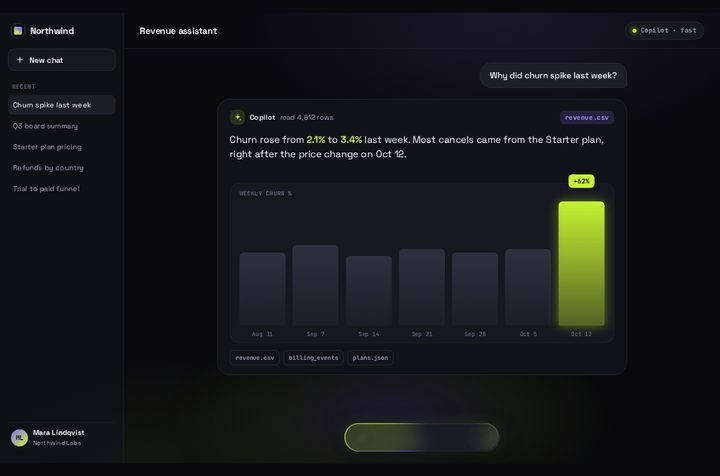
Prompt Bloom running live. An AI chat composer: the prompt lifts into a message and the answer card blooms out of the input.

The ChatComposer component

Drop this into components/ChatComposer.tsx. It works in the Next.js App Router (it's a client component) and in Vite.

tsx
"use client";

import { useLayoutEffect, useRef, useState, type FormEvent, type KeyboardEvent } from "react";

type Props = {
  onSend: (prompt: string, signal: AbortSignal) => Promise<void>;
  placeholder?: string;
};

const MAX_HEIGHT = 200; // px, then the textarea scrolls

export function ChatComposer({ onSend, placeholder = "Ask anything" }: Props) {
  const [value, setValue] = useState("");
  const [busy, setBusy] = useState(false);
  const formRef = useRef<HTMLFormElement>(null);
  const inputRef = useRef<HTMLTextAreaElement>(null);
  const abortRef = useRef<AbortController | null>(null);
  const empty = value.trim() === "";

  // Auto-grow fallback for browsers without `field-sizing: content`
  useLayoutEffect(() => {
    const el = inputRef.current;
    if (!el || CSS.supports("field-sizing", "content")) return;
    el.style.height = "auto";
    el.style.height = `${Math.min(el.scrollHeight, MAX_HEIGHT)}px`;
  }, [value]);

  async function handleSubmit(e: FormEvent) {
    e.preventDefault();
    if (busy || empty) return;
    const prompt = value.trim();
    const controller = new AbortController();
    abortRef.current = controller;
    setValue("");
    setBusy(true);
    try {
      await onSend(prompt, controller.signal);
    } catch (err) {
      if ((err as Error).name !== "AbortError") throw err;
    } finally {
      abortRef.current = null;
      setBusy(false);
      inputRef.current?.focus();
    }
  }

  function handleKeyDown(e: KeyboardEvent<HTMLTextAreaElement>) {
    if (e.key !== "Enter" || e.shiftKey) return;
    // Enter that confirms an IME candidate (Japanese, Chinese, Korean) must not send
    if (e.nativeEvent.isComposing || e.keyCode === 229) return;
    e.preventDefault();
    formRef.current?.requestSubmit();
  }

  return (
    <form
      ref={formRef}
      onSubmit={handleSubmit}
      className="flex items-end gap-2 rounded-3xl border border-white/10 bg-zinc-900 p-2 shadow-lg transition-colors focus-within:border-lime-300/60"
    >
      <label htmlFor="chat-prompt" className="sr-only">
        Message
      </label>
      <textarea
        id="chat-prompt"
        ref={inputRef}
        rows={1}
        value={value}
        onChange={(e) => setValue(e.target.value)}
        onKeyDown={handleKeyDown}
        placeholder={placeholder}
        enterKeyHint="send"
        className="field-sizing-content max-h-[200px] min-h-11 flex-1 resize-none bg-transparent px-3 py-2.5 text-base text-zinc-100 placeholder:text-zinc-500 focus:outline-none"
      />
      {busy ? (
        <button
          type="button"
          onClick={() => abortRef.current?.abort()}
          aria-label="Stop generating"
          className="grid size-11 shrink-0 place-items-center rounded-full bg-zinc-100 text-zinc-900 motion-safe:animate-pulse"
        >
          <span className="size-3.5 rounded-sm bg-current" />
        </button>
      ) : (
        <button
          type="submit"
          disabled={empty}
          aria-label="Send message"
          className="grid size-11 shrink-0 place-items-center rounded-full bg-lime-300 text-zinc-950 transition-[transform,opacity] duration-200 ease-out disabled:opacity-40 motion-safe:disabled:scale-90 motion-safe:enabled:active:scale-90"
        >
          <svg viewBox="0 0 24 24" className="size-5" fill="none" stroke="currentColor" strokeWidth="2.5" aria-hidden="true">
            <path d="M12 19V5M5 12l7-7 7 7" />
          </svg>
        </button>
      )}
    </form>
  );
}

A few lines carry most of the behavior, so they're worth a closer look.

How does the textarea auto-grow?

The class field-sizing-content is Tailwind v4's utility for the CSS property field-sizing: content, which lets a textarea size itself to its content. max-h-[200px] caps it, and after that the textarea scrolls. No JavaScript runs in browsers that support it.

MDN still marks field-sizing as experimental, so the useLayoutEffect is a fallback. It checks CSS.supports("field-sizing", "content") and, where that returns false, sets the height to scrollHeight on every change. Resetting to auto first is what lets the box shrink again after you delete lines. I tested both paths: with native support, three lines took the textarea from 44 px to 92 px; with CSS.supports forced to false, four lines grew it to 116 px through the inline style. Thirty lines stopped at 200 px in both.

Why check isComposing before sending on Enter?

When someone types through an input method editor, Enter confirms the selected characters. If your keydown handler sends on every Enter, a Japanese user sends a half-written prompt on the first word. e.nativeEvent.isComposing is true during composition (MDN on isComposing). The keyCode === 229 check is a belt-and-braces guard for browsers that report the confirming keystroke with that code instead. keyCode is deprecated, and TypeScript still accepts it, so it costs nothing to keep.

The handler calls formRef.current?.requestSubmit() instead of calling the send function directly. requestSubmit fires the form's submit event the same way a click on the submit button does, so the empty check and the busy check live in one place: handleSubmit.

How do you stop a streaming response?

Each send creates an AbortController and passes its signal to your onSend function. While busy is true, the send button is replaced by a Stop button that calls abort(). The fetch rejects with an AbortError, which the component swallows on purpose, because stopping isn't an error from the user's point of view. Anything else is rethrown so you still see real failures.

Here is a parent that streams text from a route handler:

tsx
"use client";

import { useState } from "react";
import { ChatComposer } from "./ChatComposer";

type Message = { role: "user" | "assistant"; text: string };

export default function Chat() {
  const [messages, setMessages] = useState<Message[]>([]);

  async function send(prompt: string, signal: AbortSignal) {
    setMessages((m) => [...m, { role: "user", text: prompt }, { role: "assistant", text: "" }]);
    const res = await fetch("/api/chat", {
      method: "POST",
      headers: { "content-type": "application/json" },
      body: JSON.stringify({ prompt }),
      signal,
    });
    if (!res.ok || !res.body) throw new Error(`chat ${res.status}`);
    const reader = res.body.pipeThrough(new TextDecoderStream()).getReader();
    for (;;) {
      const { value, done } = await reader.read();
      if (done) break;
      setMessages((m) => {
        const last = m[m.length - 1];
        return [...m.slice(0, -1), { ...last, text: last.text + value }];
      });
    }
  }

  return (
    <div className="mx-auto flex h-dvh max-w-2xl flex-col gap-4 p-4">
      <ol aria-live="polite" className="flex-1 space-y-3 overflow-y-auto">
        {messages.map((m, i) => (
          <li key={i} className={m.role === "user" ? "ml-auto w-fit max-w-[80%] rounded-2xl bg-zinc-800 px-4 py-2" : "text-zinc-200"}>
            {m.text}
          </li>
        ))}
      </ol>
      <ChatComposer onSend={send} />
    </div>
  );
}

And a route handler that streams plain text. Swap the fake words for your model call, and keep returning a stream:

ts
// app/api/chat/route.ts
export async function POST(req: Request) {
  const { prompt } = (await req.json()) as { prompt?: string };
  if (!prompt?.trim()) return new Response("Empty prompt", { status: 400 });

  // Replace this with your model call. Keep returning a stream of text.
  const words = `You asked: ${prompt}`.split(" ");
  const encoder = new TextEncoder();
  const stream = new ReadableStream<Uint8Array>({
    async start(controller) {
      for (const word of words) {
        if (req.signal.aborted) break;
        controller.enqueue(encoder.encode(word + " "));
        await new Promise((r) => setTimeout(r, 40));
      }
      controller.close();
    },
  });

  return new Response(stream, { headers: { "content-type": "text/plain; charset=utf-8" } });
}

aria-live="polite" on the message list lets screen readers announce the answer as it arrives without interrupting the user.

Where does the animation come in?

The motion here is small and only uses transforms and opacity: the send button fades and shrinks a little while the field is empty, presses in on click, and the stop button pulses while the answer streams. The shrink, the press and the pulse sit behind motion-safe:, so people who turned on reduced motion get only the fade. I wrote about when CSS is enough and when you need Motion for this kind of feedback.

If you want the composer itself to be the moment people remember, that is a bigger job. Prompt Bloom is the version I sell: the prompt lifts into a message bubble on send, the composer shrinks into a Thinking pill, and the answer card grows out of it, streams word by word and builds a small bar chart. It has an onSubmit prop for your model call and Enter to send, and it ships as plain HTML/CSS/JS plus a React + TypeScript + Tailwind version, with no animation library.

Prompt Bloom, an animated AI chat composer, with the answer card open above the input

What I tested

I ran the component in headless Chromium with Playwright and checked:

  • The send button is disabled and Enter does nothing while the field is empty.
  • Shift+Enter adds new lines; Enter sends the whole multi-line prompt and clears the field.
  • A keydown with isComposing: true does not send.
  • The streamed answer appears in the list, and focus returns to the textarea.
  • During a slow request the Stop button shows, aborts the request, and the Send button comes back.
  • The auto-grow fallback works when field-sizing support is switched off.
  • tsc --strict passes on all three files, and the route handler returns a 4-chunk stream for a 4-word answer and 400 for an empty prompt.

To try the pattern on a real animated component before buying anything, /free gives you one qodesign component with its full source and AI prompt.

FAQ

How do I make Enter send and Shift+Enter add a new line in a React textarea?

Handle onKeyDown: if the key is Enter and Shift isn't held, call preventDefault() and submit the form with form.requestSubmit(). Skip it when e.nativeEvent.isComposing is true so IME users can confirm characters with Enter.

How do I auto-resize a textarea in Tailwind?

In Tailwind CSS v4, add field-sizing-content with a max-h-* cap. Browsers without field-sizing support need a small fallback that sets style.height to scrollHeight on change, after resetting it to auto.

How do I add a stop button to a streaming chat in Next.js?

Create an AbortController per request, pass controller.signal to fetch, and call controller.abort() from the stop button. Catch the AbortError so stopping doesn't show as a failure.

Do I need Framer Motion for an animated chat input?

No. The press, fade and pulse here are Tailwind transitions. A library starts to pay off when elements need to animate as they enter or leave the DOM, like a message bubble flying up from the input.